Translate Browser Extension
messages.json Files
Upload your extension's messages.json file, translate each message, and export straight into a _locales/{lang}/ folder.
{
  "appName": {
    "message": "Moje rozszerzenie",
    "description": "The name of the extension"
  },
  "appDescription": {
    "message": "Przydatne rozszerzenie do przeglądarki.",
    "description": "The description shown in the extension store"
  },
  "greeting": {
    "message": "Witaj, $USER$! Masz $COUNT$ nowych wiadomości.",
    "description": "Greets the user and shows the number of new messages",
    "placeholders": {
      "user": { "content": "$1", "example": "Anna" },
      "count": { "content": "$2", "example": "5" }
    }
  },
  "buttonSave": {
    "message": "Zapisz"
  }
}
Not a plain key-value JSON file
Chrome, Firefox, Edge and Safari all read extension translations from the same _locales/{lang}/messages.json layout, but the value under each key is an object, not a string: a required message field and an optional description field the browser ignores at runtime but translators actually rely on for context.
Placeholders follow their own convention too, written as $NAME$ in the message text and defined separately in a placeholders object that maps each name to a positional value like $1. SimpleLocalize keeps translators editing just the message text while the surrounding structure stays intact.
{
  "name": "__MSG_appName__",
  "description": "__MSG_appDescription__",
  "default_locale": "en"
}
Two kinds of description
Your code and your translators, kept separate
Code description
Uploaded from your source, stored as reference context, and never silently overwritten.
Translator description
Written by a translator in the editor, kept separate from whatever your codebase originally sent.
Named placeholders
Each $NAME$ in a message maps to a positional value, and both round-trip on export.
End-to-end workflow
Translate a messages.json file end to end
Follow these steps to translate a messages.json file from start to finish using SimpleLocalize.
simplelocalize upload \
  --apiKey PROJECT_API_KEY \
  --uploadFormat browser-extension-json \
  --uploadLanguageKey en \
  --uploadPath ./_locales/en/messages.json
Upload your default locale
1_locales/en/messages.json. Message and description fields import correctly without extra configuration.Key: greeting
Source: Hello, $USER$! You have $COUNT$
new messages.
Code description: Greets the user and
shows the number of new messagesDescriptions land as context, not overwrites
2"greeting": {
"message": "Witaj, $USER$! Masz $COUNT$
nowych wiadomości."
}Auto-translate, placeholders protected
3$USER$ and $COUNT$ stay exactly where they belong in the translated text.simplelocalize download \
--apiKey PROJECT_API_KEY \
--downloadFormat browser-extension-json \
--downloadLanguageKey pl,de,es \
--downloadPath ./_locales/{lang}/messages.jsonDownload into every _locales/{lang}/ folder
4For developers
A localization platform,
not just a JSON transformer
A description written by a translator in the editor is worth protecting, even when your codebase uploads a new one.
Code vs. translator descriptions
A description uploaded from your codebase is stored separately from one a translator writes in the editor, so a new code upload never silently overwrites their notes.
Placeholders stay intact
Named placeholders and their positional mappings round-trip exactly, so substitutions still work after translation.
AI auto-translation
Translate new and changed messages with DeepL, Google Translate, OpenAI, Claude or Gemini.
CLI and REST API
Upload and download messages.json files from the CLI, or automate the same logic through the REST API.

More conversions
Convert messages.json to other formats
Free online converter, no account required. Upload a messages.json file and download it in the format you need.
Start translating extension messages
- Correct message/description object structure
- Code and translator descriptions kept separate
- Exports the exact _locales/{lang}/ layout browsers expect
"The product
and support
are fantastic."
"The support is
blazing fast,
thank you Jakub!"
"Interface that
makes any dev
feel at home!"
"Excellent app,
saves my time
and money"
Resources
More on localization workflows and translation file formats.

How to use Markdown in Android and iOS translations
Learn how to show bold, italic, and other Markdown styling from translations in Android and iOS apps. iOS supports Markdown natively, and on Android you can convert it to HTML or use a library.
Designing multi-tenant localization systems
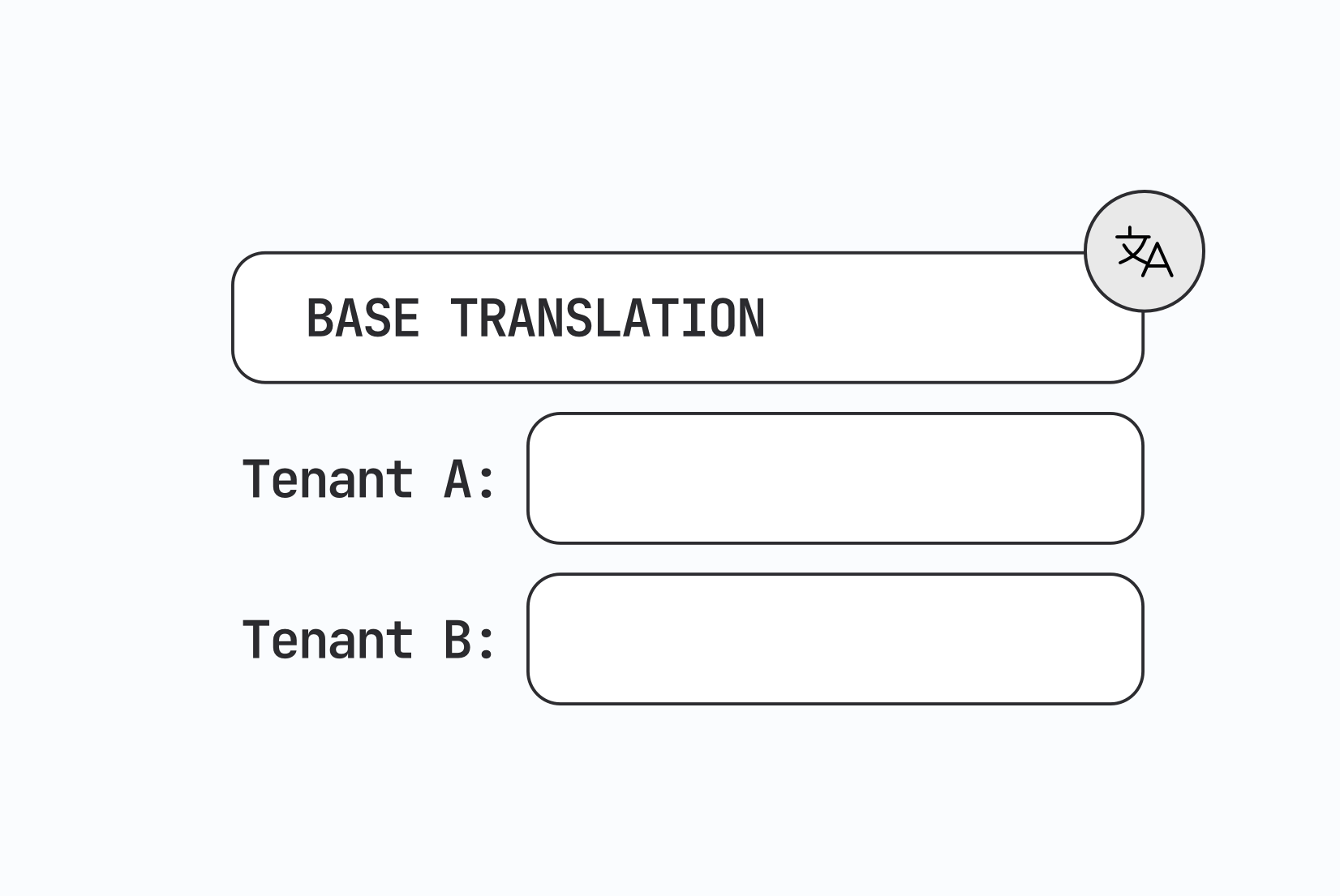
How to design multi-tenant localization: data models for tenant-specific translations, fallback order, CDN delivery, caching, permissions, and a working setup with customer contexts in SimpleLocalize.

Vue.js i18n: The complete guide to localizing Vue and Nuxt apps
Learn how to internationalize and localize Vue 3 and Nuxt apps with vue-i18n. Covers setup, translation files, pluralization, locale detection, lazy loading, CI/CD integration, and SimpleLocalize workflows.
Frequently asked questions about extension translations
Why isn't this just a plain JSON key-value file?
Browser extensions require each key to hold an object with a message field, and often a description field for translator context. A plain string value would not load correctly in the extension.
Does this work for Firefox, Edge and Safari, not just Chrome?
Yes. All four follow the same WebExtensions _locales/{lang}/messages.json specification, so one exported file works across them.
Will re-uploading my source file overwrite a translator's notes?
Not by default. A description uploaded from your code is kept separate as a code description and won't overwrite what a translator wrote manually, unless you explicitly add the UPDATE_DESCRIPTIONS option.
Are placeholders like $1 preserved during translation?
Yes. Named placeholders and their positional content mappings are protected during auto-translation and stay valid in the exported file.