Over-the-air
translation updates
Fix a typo, retranslate a screen or add a language without a new App Store or Play Store release. Publish translations in SimpleLocalize and your iOS, macOS and Android apps download them at runtime.
We power your product localization
From first commit to global launch


Why teams use it
Translations are no longer frozen in the build
A translation fix becomes a publication in SimpleLocalize, not a release and a store review.
No app store release
Published translations reach users within about an hour, without waiting for App Store or Play Store review.
Safe fallback
Keys you have not published keep using the strings bundled in the app, so the UI never goes blank.
Works offline
Downloaded translations are cached on disk, so the app starts with the last known translations even without a network.
One publication, every platform
iOS, macOS and Android apps read the same published files, so one publication updates all of them.
Test before your users see it
Point debug builds at the Latest environment and release builds at Production, and promote translations when they are ready.
Roll back anytime
Restore a previous publication when something goes wrong. Apps pick it up on their next refresh.
Bundled vs. over-the-air
Why update translations over the air?
Translations bundled in the app can only change with a new build. Over-the-air translations change with a publication.
How it works
From the editor to your users' devices
Add the SDK once, then every publication reaches your apps without a release.
Add the SDK to your app
Install the Swift Package or the Gradle library and start it with your project token. Existing strings keep working as a fallback.
Translate in the editor
Edit translations with your team, use auto-translation or import files with the CLI.
Publish to Translation Hosting
Publish from the Hosting tab, the CLI, the API or an automation. Translations are served from the CDN.
Your app downloads them
The app fetches new translations when it starts and when it returns to the foreground, and caches them on disk.
For a step-by-step walkthrough, see the getting started guide.
Test translations before release
Point debug builds at the Latest environment and release builds at Production. Check new translations in a test build, then promote them to everyone with one publication.
Hosting environments
Publish from your pipeline
Publish from the Hosting tab, or automate it with the CLI, the API or GitHub Actions. A failed publication is one rollback away.
Publishing translationsPlatforms
Add it to your app in minutes
The SDKs work on top of the localization you already have and have no dependencies of their own.
iOS & macOS
Swift Package for iOS 13+, macOS 11+, tvOS 13+ and watchOS 6+. Existing NSLocalizedString, UIKit and storyboards resolve over the air with one call, SwiftUI reads strings through the SDK.
Android
Gradle library for minSdk 21. Wrap the activity context and existing getString(), XML layouts and Compose stringResource() resolve over the air.
Building a web app? Load the same published translations straight from the CDN, see fetching translations.
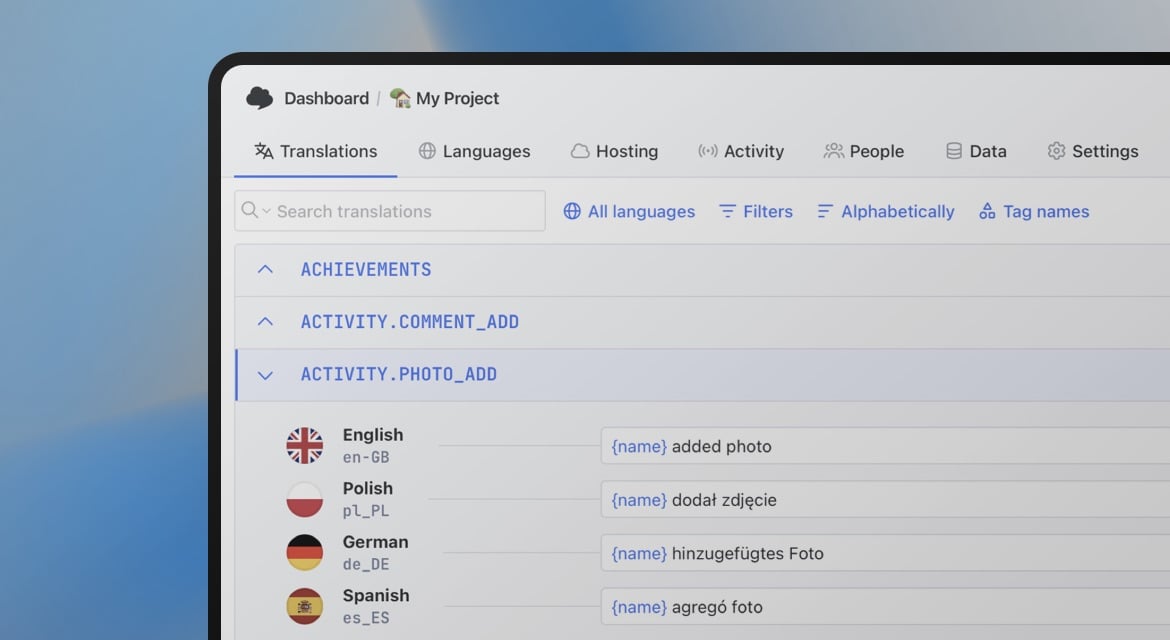
Ship translation fixes without a release
- SDKs for iOS, macOS and Android
- Offline cache and bundled fallback
- Environments and rollbacks
"The product
and support
are fantastic."
"The support is
blazing fast,
thank you Jakub!"
"Interface that
makes any dev
feel at home!"
"Excellent app,
saves my time
and money"
How fast do translation updates reach users?
The Production environment is served with a one hour cache, so a publication reaches users within about an hour. Apps refresh translations when they start and when they return to the foreground, at most every 10 minutes by default.
What happens when a translation is missing or the device is offline?
The app falls back to the strings bundled in the build, key by key. Downloaded translations are cached on disk, so the app keeps showing the last known translations offline, and a failed refresh never removes what was already downloaded.
Do I need to change my existing localization code?
No. On iOS one call makes NSLocalizedString, UIKit and storyboards resolve over the air. On Android wrapping the activity context makes getString(), XML layouts and Compose stringResource() resolve over the air. SwiftUI Text views read strings through the SDK.
Are plurals supported?
Not yet. Plural strings (stringsdict, String Catalog plural variations and getQuantityString) always come from the resources compiled into the app. Publish plural forms as separate keys if you need them over the air.
Is the project token in my app a security risk?
No. The SDKs only read published translations from the public CDN and never send anything to SimpleLocalize. The project token is public by design and meant to be shipped in client code.