Translate gettext
PO & POT Files
Upload your .po or .pot files, translate with context intact, and export files gettext-based apps can load without any conversion step.
#. Translators: shown as a button on the blog post editor
#: templates/blog/edit.html:12
msgctxt "Blog post action"
msgid "Post"
msgstr "Opublikuj"

#: templates/nav.html:8
msgctxt "Navigation label"
msgid "Post"
msgstr "Wpis"

#: templates/comments.html:24
msgid "%d comment"
msgid_plural "%d comments"
msgstr[0] "%d komentarz"
msgstr[1] "%d komentarze"
msgstr[2] "%d komentarzy"
Context and plurals,
built into the format
Gettext is one of the oldest translation formats still in wide use, and two features explain why it's held up: msgctxt lets the exact same source string, like the word "Post" as a button versus "Post" as a navigation label, carry two different translations without any key renaming. And plural handling goes through a real Plural-Forms rule, not a generic one/other split, filled in automatically for whichever language you export.
A .pot file is the template: source strings only, no translations, regenerated whenever your source code changes. Each language then gets its own .po file compiled from that template. SimpleLocalize tracks both, so updating the template surfaces exactly which strings are new or changed across every language's .po file.
msgid ""
msgstr ""
"Content-Type: text/plain; charset=UTF-8\n"
"Plural-Forms: nplurals=3; plural=(n==1 ? 0 :
  n%10>=2 && n%10<=4 ? 1 : 2);\n"
"Language: pl\n"
Beyond msgid and msgstr
The parts of a PO file translators actually rely on
Translator comments
Lines starting with #. carry notes for translators and are shown as context in the editor.
Reference comments
Lines starting with #: point back to where a string is used in your source code.
Source text as translation
If your PO files carry the source in msgid with no msgstr, an import option handles that case.
Language header
The Language and Plural-Forms metadata is filled in automatically for each exported file.
End-to-end workflow
Translate a PO file end to end
Upload a neutral pl.po file, translate values while keeping the original comments and context, and export one file per language, ready to drop into your gettext-based app.
simplelocalize upload \
  --apiKey PROJECT_API_KEY \
  --uploadFormat po-pot \
  --uploadLanguageKey en \
  --uploadPath ./locale/messages.pot \
  --uploadOptions MSGCTXT_AS_NAMESPACE
Upload your POT template or source PO
1.pot template, or a .po file already carrying source text in msgid. Turn on MSGCTXT_AS_NAMESPACE if your files use msgctxt to disambiguate identical strings.Key: Post (Blog post action)
Context: Translators: shown as a button
on the blog post editor
Reference: templates/blog/edit.html:12Keep translator comments visible
2#. import as context, and #: reference comments stay attached to the key, so a translator can see where a string is actually used."Plural-Forms: nplurals=6; plural=(n==0 ? 0 :
n==1 ? 1 : n==2 ? 2 : n%100>=3 && n%100<=10
? 3 : n%100>=11 ? 4 : 5);\n"Auto-translate every language
3Plural-Forms rule, from two forms for English up to six for some Arabic dialects.simplelocalize download \
--apiKey PROJECT_API_KEY \
--downloadFormat po-pot \
--downloadLanguageKey pl,fr,de,ar \
--downloadPath ./locale/messages_{lang}.poDownload one .po file per language
4For developers
A localization platform,
that understands gettext
SimpleLocalize handles the gettext quirks that trip up a generic importer, then gives your team a place to work with translated .po files.
Context-aware import
Identical source strings stay separate translations when they carry different contexts, so nothing collides on import.
Real plural forms
The correct Plural-Forms header is generated for each language you export to, matching that language's actual grammar.
AI auto-translation
Translate new and changed strings with DeepL, Google Translate, OpenAI, Claude or Gemini, keyed to whichever language you're exporting.
CLI and REST API
Upload source strings and download translated .po files per language from the CLI or the REST API.

More conversions
Convert PO/POT to other formats
Free online converter, no account required. Upload a PO or POT file and download it in the format you need.
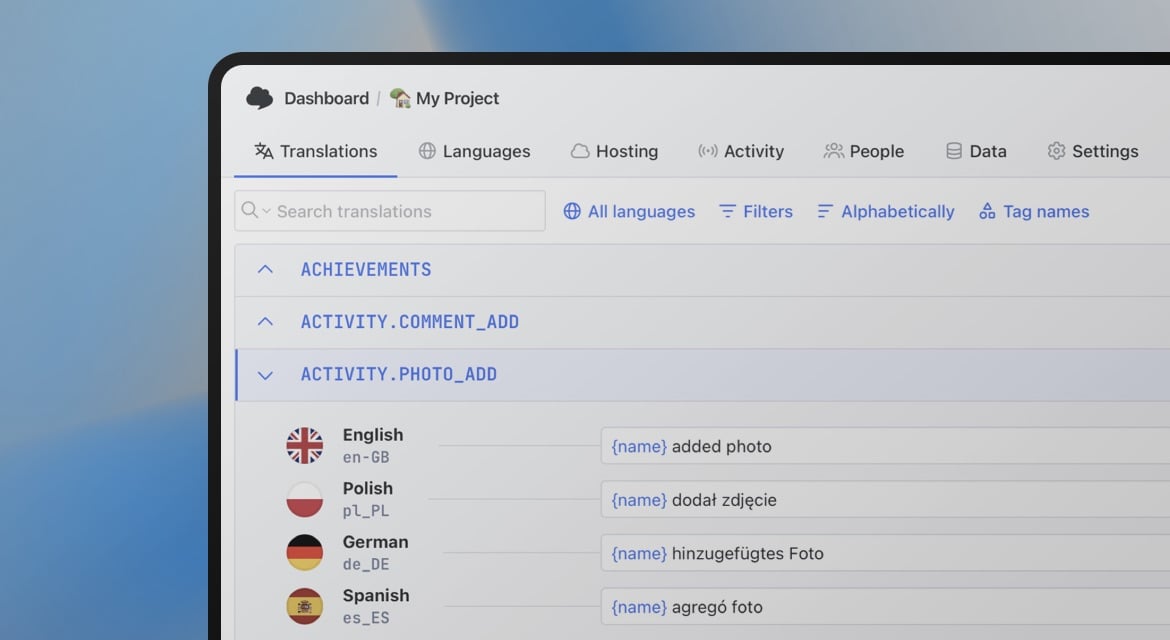
Start translating PO/POT files
- msgctxt-aware, so identical strings can differ by context
- Plural-Forms header filled in automatically per language
- POT template changes tracked across every .po file
"The product
and support
are fantastic."
"The support is
blazing fast,
thank you Jakub!"
"Interface that
makes any dev
feel at home!"
"Excellent app,
saves my time
and money"
Related articles
More on translating gettext files.
How to translate PO and POT files
Learn how to translate PO and POT files easily with gettext for software localization. Step-by-step guide with examples, best practices, and tools like SimpleLocalize.
Frequently asked questions about PO/POT files
What's the difference between .po and .pot?
A .pot file is the template extracted from your source code, strings only, no translations. Each language's .po file is generated from that template and holds the actual translated text.
Does SimpleLocalize support gettext plural forms?
Yes. The Plural-Forms header is filled in automatically for whichever language you export, rather than a generic singular/plural pair.
How does msgctxt work with translation keys?
Turn on the MSGCTXT_AS_NAMESPACE option, and a msgctxt value is imported as a namespace, so two identical msgid strings with different contexts stay separate keys instead of colliding.
Which platforms use PO/POT files?
Gettext is the default translation format for Django, WordPress, general PHP applications, Python, and most GNU and desktop Linux software.