Translate Flutter
ARB Files
Upload your .arb files, translate values while keeping descriptions and plurals intact, and export files the intl package loads without changes.
{
  "@@locale": "en",
  "home.interface.signup": "Signup",
  "@home.interface.signup": {
    "description": "Text on the signup button"
  }
}
Why teams use ARB for translations
ARB (Application Resource Bundle) is essentially a single-language JSON file with one addition: a required @@locale field naming the file's language, and an optional @key metadata object next to any translation key. Since it's built for the Intl package, ARB doesn't support nested keys or arrays, only flat key-value pairs.
Metadata under @key can hold a description for translators, plus any custom property like context or author, none of which are required by Flutter itself but travel with the key wherever it goes.
"home.interface.signup": "Signup",
"@home.interface.signup": {
  "description": "Text on the signup button",
  "context": "Auth screen",
  "author": "John Doe"
}
Beyond key and value
ARB files in SimpleLocalize
Metadata as context
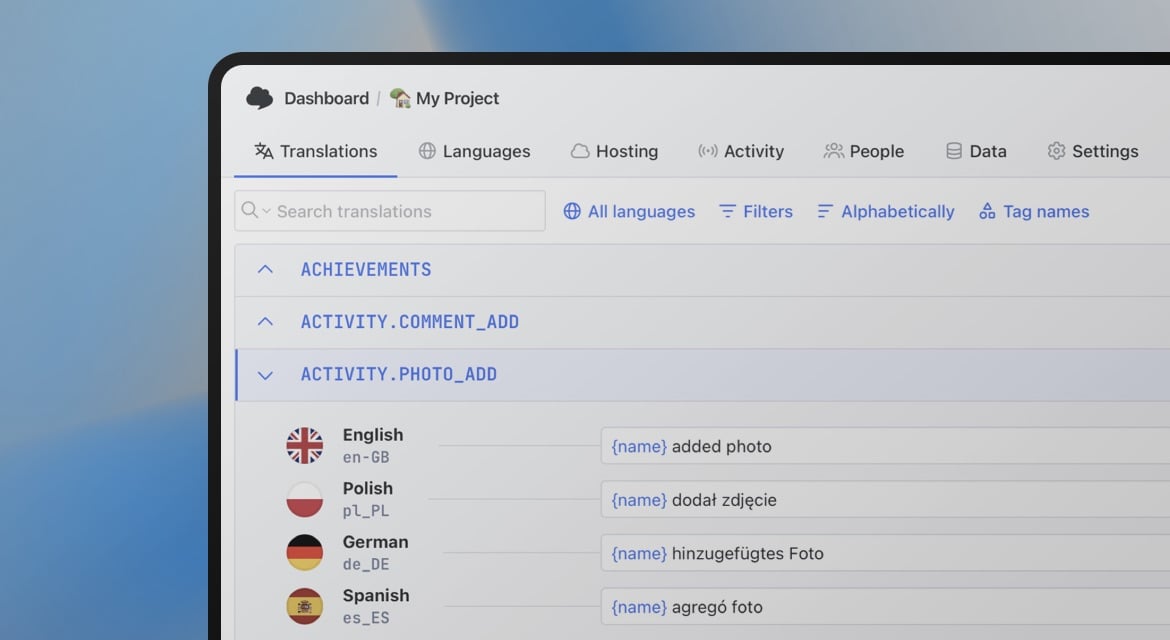
The description field under a key's @ entry imports as translator context automatically.
ICU pluralization
Keys following Flutter's zero/one/two/few/many/other convention are recognized as one pluralized string.
One file per language
Files are typically named messages_en.arb, messages_pl.arb, and so on, one language per file.
Custom properties preserved
Extra @key properties like context or author are kept as key metadata, not just the description.
End-to-end workflow
Translate an ARB file end to end
Upload a source app_en.arb file, translate values while keeping descriptions and plurals intact, and download one file per language.
simplelocalize upload \
  --apiKey PROJECT_API_KEY \
  --uploadFormat arb \
  --uploadLanguageKey en \
  --uploadPath ./app_en.arb
Upload your source ARB file
1app_en.arb to SimpleLocalize with the CLI. The @@locale field and any @key descriptions import automatically.Key: home.interface.signup
Source: Signup
Context: Text on the signup buttonDescriptions land as context
2@key description shows up next to it in the editor, so a translator sees exactly what a developer meant without asking."notifications_zero": "Brak powiadomień",
"notifications_one": "Masz jedno powiadomienie",
"notifications_other": "Masz {count} powiadomienia"Auto-translate, plurals included
3notifications_zero, _one and _other keys translate together as one ICU-format string.simplelocalize download \
--apiKey PROJECT_API_KEY \
--downloadFormat arb \
--downloadPath ./app_{lang}.arbDownload one file per language
4app_{lang}.arb, ready for the flutter generate command to turn into typed Dart localization classes.For developers
A localization platform,
not just an ARB parser
SimpleLocalize reads the parts of ARB that go beyond plain JSON, and gives your team a place to manage the translations behind them.
Metadata as context
The description field under a key's @ entry is imported as translator context automatically, along with any custom properties.
ICU pluralization
Keys following Flutter's plural naming convention are recognized and editable as one pluralized string, matching how the Intl package expects them.
AI auto-translation
Translate new and changed keys with DeepL, Google Translate, OpenAI, Claude or Gemini.
CLI and REST API
Upload and download ARB files from the CLI, or automate the same logic through the REST API.

In your Flutter app
Setting up ARB with the Intl package
Configuring i18n in Flutter with ARB is a multistep process: install the intl package, generate Dart code from your ARB files, then load and use the translations.
dependencies:
  flutter:
    sdk: flutter
  flutter_localizations:
    sdk: flutter
  intl: ^0.19.0
Add dependencies
1intl package to your pubspec.yaml file, and run flutter pub get. See the newest version on pub.dev.{
"@@locale": "pl",
"greeting": "Witaj, {name}!",
"@greeting": {
"description": "Greeting message"
}
}Create your ARB files
2flutter:
generate: true
l10n:
arb-dir: lib/l10n
template-arb-file: messages_en.arb
output-localization-file: app_localizations.dartGenerate Dart code
3l10n in pubspec.yaml, then run flutter generate to produce an AppLocalizations class from your ARB files.MaterialApp(
localizationsDelegates: [
AppLocalizations.delegate,
GlobalMaterialLocalizations.delegate,
],
supportedLocales: [Locale('en'), Locale('pl')],
)
Text(AppLocalizations.of(context).greeting('Alicja'))Load and use translations
4AppLocalizations.delegate in your MaterialApp, then read a value with AppLocalizations.of(context).Why ARB instead of plain JSON?
Both are text-based key-value formats, but ARB adds a metadata convention JSON has no equivalent for: any key starting with @ attaches descriptions, placeholders and plural information to the key of the same name, right in the same file.
If your Flutter setup doesn't rely on that metadata, single-language JSON works too and has an almost identical structure, just without the @key objects.
ARB:
"signup": "Sign up",
"@signup": { "description": "Button text" }

JSON (single-language):
"signup": "Sign up"
Good to know
About Flutter and the Intl package
Flutter is an open-source, cross-platform framework from Google. One Dart codebase builds Android, iOS and web apps with the same widget set, which is part of why teams choose it over maintaining separate native apps.
Intl is Flutter's most common localization package. Beyond formatting dates, numbers and currencies, it reads translations directly from ARB files, which is why the format exists in the first place.
Not the only option
Alternatives to ARB for Flutter
More conversions
Convert ARB to other formats
Free online converter, no account required. Upload an ARB file and download it in the format you need.
Start translating ARB files
- Descriptions and custom @key metadata kept as context
- Plural keys recognized and edited as one string
- Auto-translation with DeepL, Google, OpenAI, Claude and Gemini
"The product
and support
are fantastic."
"The support is
blazing fast,
thank you Jakub!"
"Interface that
makes any dev
feel at home!"
"Excellent app,
saves my time
and money"
Resources
See the latest news from our blog, including product updates, tutorials, and more.
Managing ARB translation files in Flutter
Learn how to manage ARB translation files in Flutter. Covers ARB structure, metadata, placeholders, plurals, and practical best practices using SimpleLocalize.
Frequently asked questions about ARB files
Does SimpleLocalize support ARB metadata like descriptions?
Yes. The description field under a key's @ entry is imported as translator context, and other custom properties such as context or author are kept as key metadata.
How are ARB plurals handled?
Keys following Flutter's zero/one/two/few/many/other naming convention are recognized as one pluralized translation, editable together instead of as separate strings.
Does ARB support nested keys or arrays?
No. Since ARB is built for the Intl package, it only supports flat key-value pairs, the same limitation the package itself has.
Can I export ARB as plain JSON instead?
Yes. Single-language JSON has a similar structure to ARB, without metadata support, and works if your Flutter setup doesn't rely on ARB-specific descriptions or placeholders.