 VS Code Extension available! Install now
Webflow localization
with translation management system
Manage multilingual pages, CMS collections, components, and SEO content in one professional Webflow TMS. Built for marketing teams and agencies.
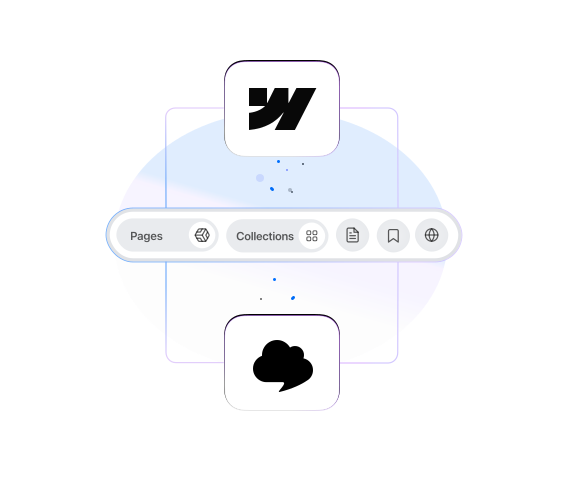
SimpleLocalize turns Webflow localization into a structured workflow. Instead of translating content directly inside Webflow Designer, manage everything in a centralized translation management system built for automation, collaboration, and content-heavy sites.
Translate every part of your Webflow site
Connect your Webflow project and manage translations for pages, CMS collections, components, and SEO titles and meta descriptions, all from a clean, dedicated translation editor.
Pages
Translate static page content including headings, paragraphs, buttons, and labels. Make every page speak your audience's language.
CMS collections
Blog posts, product listings, team members, and any CMS-driven content. Localize all collection items and keep them in sync.
Components
Shared components like navbars, footers, and CTAs. Translate reusable elements once and keep consistency across your entire site.
Navigation
Menu items, links, and navigation labels. Create an intuitive browsing experience for visitors in every language.
Design elements
Text inside sections, banners, modals, and other design blocks. Localize your entire visual experience without touching Webflow Designer.
SEO titles & meta descriptions
Translate page titles and meta descriptions for each language. Optimize your multilingual Webflow site for search engines.
How it works
From Webflow to a fully
localized site in 4 steps
Localizing a Webflow site doesn't require custom code or complex setups. Install the app, sync your content, translate, and publish, all from one place.
Install App
Install SimpleLocalize from the Webflow App Marketplace and connect your site.
Sync Content
Import pages, CMS collections, and components from your Webflow site.
Translate
Use auto-translation, collaborate with your team, and review with QA tools.
Publish
Translation updates go live instantly on your Webflow site.
Why Webflow teams use
a dedicated TMS for localization
As your Webflow site grows, localization becomes an operational process, not just content editing. A professional TMS introduces automation, collaboration features, quality checks, and structured workflows that Webflow alone does not provide.
Webflow built-in localization
- Manual editing inside Webflow Designer
- No translation memory or reuse
- Limited collaboration for translators
- No auto-translation capabilities
- Difficult to track translation progress
- No quality assurance or review workflows
- Time-consuming for content-heavy sites

SimpleLocalize
- Centralized editor for all translatable content
- Team collaboration with roles and permissions
- Auto-translation with DeepL, Google, OpenAI
- Automatic sync — changes push to Webflow instantly
- Translation editor optimized for productivity
- Quality assurance and review workflows
- Translation memory saves time and money

Designed for efficient Webflow localization
Manage translations faster, collaborate without friction, and keep your Webflow site synchronized automatically.
Automation first
Automatically sync pages, CMS collections, and components. Push translations back to Webflow instantly without manual copying.
Built-in collaboration
Invite translators and reviewers, assign roles, leave comments, and manage feedback without giving access to Webflow.
Clean translation editor
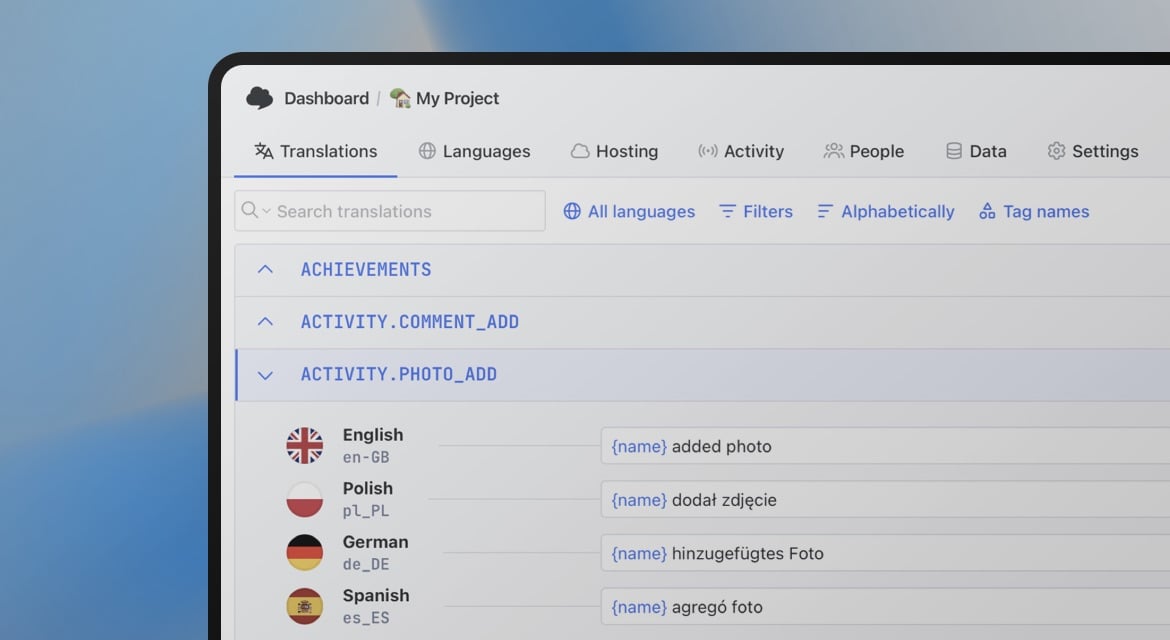
Work in a distraction-free interface optimized for productivity. Filter by language, status, or resource and translate efficiently.

Webflow localization for growing content teams
Whether you manage landing pages, CMS-driven blogs, or multi-region marketing campaigns, SimpleLocalize keeps your workflow structured.
Marketing websites
Translate landing pages, feature pages, pricing sections, and navigation without duplicating layouts inside Webflow. Keep all language versions aligned with your publishing workflow.
CMS-heavy Webflow sites
Manage hundreds of blog posts, directories, or case studies. Bulk translate CMS items and track translation status across languages.
Agencies managing multiple projects
Handle multiple Webflow clients from one dashboard. Assign translators, monitor progress, and deliver consistent quality.
Community-driven localization
Enable public translation suggestions and collect feedback from your community. Review and approve contributions before publishing.
Key features
Everything you need to manage Webflow translations professionally
Automatic sync
Changes in SimpleLocalize are automatically pushed to your Webflow site. Import content from Webflow anytime to keep translations up to date.
Auto-translation
Translate instantly with DeepL, Google Translate, or OpenAI. Generate draft translations for all your pages and CMS items in minutes.
Quality assurance
Detect missing translations, check for inconsistencies, and validate content before it goes live on your Webflow site.
Team collaboration
Invite translators, reviewers, and content managers. Set permissions and work together efficiently without granting Webflow access.
Resource selection
Choose exactly which pages, collections, and components to synchronize. Split resources across multiple projects if needed.
Progress tracking
Monitor translation status in real-time. See what's translated, in progress, or missing at a glance across all languages.
See it in action
Watch how to connect your Webflow site, sync content, and start translating in minutes.
More than a basic Webflow translation tool
Unlike simple Webflow translation workarounds, SimpleLocalize provides structured workflows, automation, collaboration tools, comments, QA checks, and real-time synchronization, designed for content-driven Webflow sites that evolve constantly.

- Auto-translation
- Screenshots with OCR
- AI-powered adjustments
- Built-in Automations
- Markdown support
- Variables highlighting
- Bulk Actions
- Context-aware translations
- Acceptance statuses
- Quality checks
- Comments & mentions
- Real-time collaboration
Why SimpleLocalize?
Most tools are overkill.
SimpleLocalize is fast, simple, and works out of the box.
Fast and customizable
SimpleLocalize is easy to get started with and focuses on the features that you and your team need the most. You can customize the editor to your needs choosing from a variety of options.
Flat pricing
No hidden costs! SimpleLocalize offers a simple and affordable plans for you and your projects. Within easy integration options and intuitive translation editor, it creates a wonderful selection.
Team members included
Every paid plan comes with a number of users you can add to your project. You don't need to worry about number of users as the price does not increase with every user.
Auto-translation included
Every paid plan comes with auto-translation characters that you receive every month. You can also use bring your own API keys and use them with SimpleLocalize in any plan (even free!).
Tools for Developers
SimpleLocalize gives developers the tools they need to automate and integrate localization into any workflow, such as CLI tool, VS Code extension, IntelliJ plugin, Figma integration, and more.
Personal support
From “how do I get started” to “I need XYZ” requests, when you need that extra helping hand, we’re here for you. We are here to make sure you get the most out of SimpleLocalize.
Trusted by developers and translators at


Start translating your Webflow site today
- Translate Webflow pages, CMS collections, and components
- Sync changes automatically with Webflow
- Auto-translate all your content in minutes
- Built for content-heavy Webflow sites
- No coding required
"The product
and support
are fantastic."
"The support is
blazing fast,
thank you Jakub!"
"Interface that
makes any dev
feel at home!"
"Excellent app,
saves my time
and money"
Webflow translation resources
Learn more about managing translations for your Webflow site
Localization in e-commerce: A practical guide for growing online stores
Learn what e-commerce localization really means, why it impacts conversions and SEO, and how to localize Shopify and Webflow stores effectively.
Webflow localization made easy with SimpleLocalize
Learn how to localize your Webflow website using SimpleLocalize. Easily sync content, manage translations, and deliver multilingual Webflow sites without complex setups.
What is the best way to localize a Webflow site?
The most scalable way to localize a Webflow site is by connecting it to a dedicated translation management system (TMS). This allows you to synchronize pages, CMS collections, and components automatically, collaborate with translators, and push translations back to Webflow without manual duplication.
Can I translate Webflow CMS collections?
Yes. SimpleLocalize imports CMS collections such as blog posts, case studies, directories, or any custom collection. You can translate items in bulk and track translation progress per language.
Which SEO fields can be translated in Webflow?
You can translate page titles and meta descriptions for each language. This allows you to optimize multilingual versions of your Webflow site for search engines without manually editing SEO settings.
Does SimpleLocalize automatically sync with Webflow?
Yes. You can import content from Webflow at any time, and translations created in SimpleLocalize are automatically pushed back to your Webflow project.
Can multiple translators work on the same Webflow project?
Yes. You can invite translators and reviewers, assign roles and permissions, leave comments, and manage feedback — all without giving access to Webflow Designer.
Can I enable public translation suggestions?
Yes. SimpleLocalize supports public translation suggestions, allowing your community to propose improvements. You can review and approve suggestions before they go live.