In-Context Editor
Translate your website right where the text lives. Edit translations visually,
directly on your live site — no guesswork, no context-switching.

Works anywhere. Integrates in minutes.
Use the In-Context Editor on any website or web app with a single line of code. Simple integration with no SDKs or plugins required. Just add our script tag to your HTML, and you're ready to go.
One script tag
Add a small JavaScript snippet to your site. That's all it takes to get started quickly and easily.
Any frontend
Use it with React, Vue, Angular, static HTML, or any framework, with no limitations.
Secure access
Only authorized users can access the editor. Translations are never exposed publicly.
Staging or live
Run the editor on staging or production to see translations in their real context.
Integration as simple as a Google Analytics tag
No SDKs, no plugins, no framework limitations
The In‑Context Editor works with any website or web app. Add one script tag and start translating visually in minutes.
Add the script
Drop a lightweight JS snippet into your <head>, just like Google Analytics. No build step, no SDK.
Map your keys
Use data-translation-key attributes, or configure custom attributes to match your i18next, react-intl, or any other setup.
Log in & edit
Click the floating SimpleLocalize icon on your site, authenticate with your Personal Access Token, and start translating.
For a step-by-step walkthrough, see the getting started guide.
What you can do with the In-Context Editor
Edit, preview, and manage translations directly on your live site, exactly where they appear.
No more guesswork or back-and-forth between interfaces.
Stop hunting for
translation keys
No more searching through JSON files to find which key ID belongs to which button. Click any text on the page to open the translation, the editor resolves the key for you automatically.

Fix broken layouts
before they ship
German and Finnish translations are often 30% longer than English. The In-Context Editor lets you see that overflow immediately: fix truncation, wrapping, and layout breaks before they reach your users.

Switch languages
and edit instantly
Toggle between languages on the fly. Make edits to any translation without leaving the page and see changes in selected languages immediately.

Synced with your TMS
Visual edits are automatically synced with your central TMS project, triggering QA checks and workflows. Changes made in context appear in the editor instantly, and vice versa, so your team always works with the latest content.
Learn more about the Translation Editor
Watch how easy in-context translation can be
See how SimpleLocalize helps you translate your website directly on the page, making localization faster, more intuitive, and easier to manage, without switching between tools or guessing where texts appear.
Enterprise ready
Secure access & environment control
Load the In-Context Editor only in staging or development to keep your production site clean and fast. Access is protected by Personal Access Tokens, no translation data is ever exposed publicly.
Token-based auth
Only team members with a valid Personal Access Token can access the editor.
Staging only
Load the script conditionally, no editor code ships to production. Zero performance impact.
Custom attributes
Configure dataAttributeKey to match your existing i18next, react-intl, or custom data attributes.
Why SimpleLocalize?
Most tools are overkill.
SimpleLocalize is fast, simple, and works out of the box.
Fast and customizable
SimpleLocalize is easy to get started with and focuses on the features that you and your team need the most. You can customize the editor to your needs choosing from a variety of options.
Flat pricing
No hidden costs! SimpleLocalize offers a simple and affordable plans for you and your projects. Within easy integration options and intuitive translation editor, it creates a wonderful selection.
Team members included
Every paid plan comes with a number of users you can add to your project. You don't need to worry about number of users as the price does not increase with every user.
Auto-translation included
Every paid plan comes with auto-translation characters that you receive every month. You can also use bring your own API keys and use them with SimpleLocalize in any plan (even free!).
Tools for Developers
SimpleLocalize gives developers the tools they need to automate and integrate localization into any workflow, such as CLI tool, VS Code extension, IntelliJ plugin, Figma integration, and more.
Personal support
From “how do I get started” to “I need XYZ” requests, when you need that extra helping hand, we’re here for you. We are here to make sure you get the most out of SimpleLocalize.
Trusted by developers and translators at


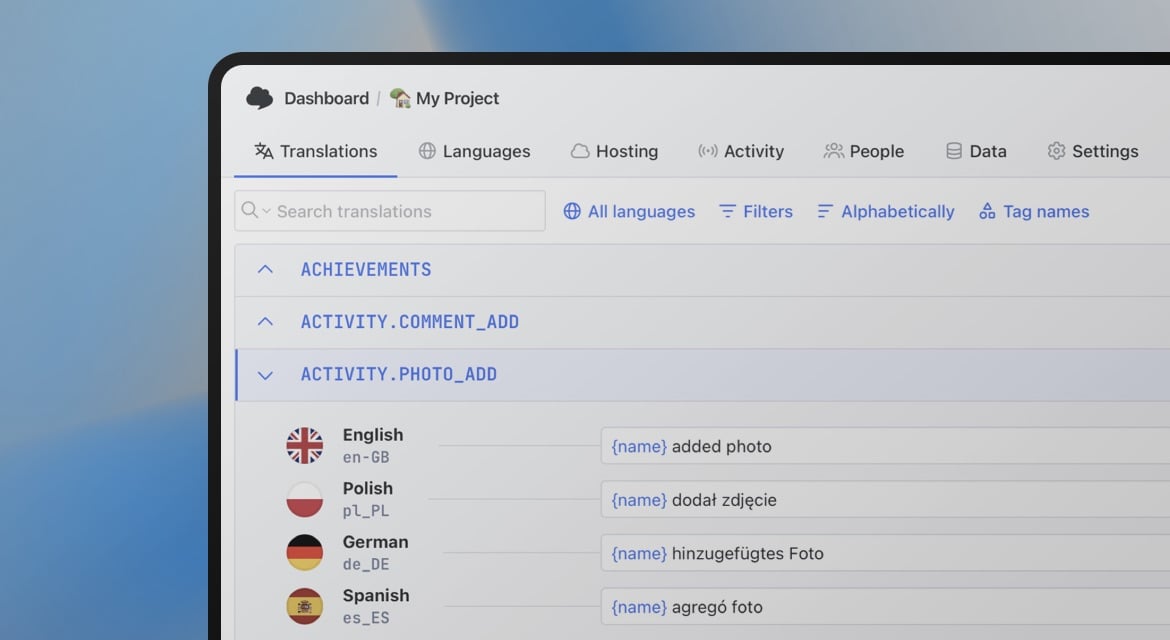
Start translating visually
- One script tag: no SDK, no build step
- Click any text on your site to edit the translation
- See layout issues before they reach production
- Synced with your TMS, QA checks, and review workflows
- Secure access with Personal Access Tokens
"The product
and support
are fantastic."
"The support is
blazing fast,
thank you Jakub!"
"Interface that
makes any dev
feel at home!"
"Excellent app,
saves my time
and money"
Learn more about translation editor
Explore our articles to understand how the In-Context Editor can enhance your translation workflow, improve collaboration, and improve your localization process.

Introducing: In-Context Editor
Edit your website or app translations directly within the context with our new In-Context Editor feature. Learn how to set it up and use it effectively.

Introducing: Markdown visual editor
Markdown visual editor is a new feature in SimpleLocalize that allows you to edit Markdown files in a user-friendly way, without needing to know the syntax.

Organize translation keys with Tags
Organize translation keys with tags in SimpleLocalize. Learn how to create, assign, and filter tags to streamline your localization workflow and team collaboration.
What is the In-Context Editor?
The In-Context Editor is a visual localization tool that lets you edit translations directly on your live website. Instead of searching through JSON files or spreadsheets to figure out which key ID maps to which button, you click the text and edit it in place. Changes sync instantly with your translation management system.
How do I integrate the In-Context Editor?
Add one JavaScript snippet to your website — as simple as adding a Google Analytics tag. No SDK, no plugin, no build step. It works with React, Vue, Angular, Next.js, or plain HTML. The editor uses data-translation-key attributes by default, but you can configure it to use any custom attribute (e.g. data-i18n-key) to match your i18next, react-intl, or custom setup.
Once integrated, click the floating SimpleLocalize icon, authenticate with your Personal Access Token, and start editing translations visually.
Can I use auto-translation with the In-Context Editor?
Yes. Auto-translate with Google Translate, DeepL, or OpenAI in the Translation Editor, then open the In-Context Editor to review results visually. This is especially useful for catching layout issues — German, Finnish, and other languages often produce translations 30% longer than English, causing text overflow or truncation that's invisible in a spreadsheet.
Is the In-Context Editor safe for production?
The editor script can be loaded conditionally — only in staging or development environments. This means zero performance impact and no exposed translation data on your production site. Access is secured with Personal Access Tokens, so only authorized team members can edit translations. Combined with QA checks and review workflows in the TMS, changes go through approval before they ever reach production.