How to translate YAML files for localization (2026 guide)


YAML is the translation file format of choice for Ruby on Rails, Symfony, Laravel, and a growing number of JAMstack and backend setups. Its readable syntax and support for comments make it genuinely pleasant for localization work. Until it isn't. Indentation errors break parsers silently, keys drift out of sync between locales, and placeholders get mangled by translation engines that don't know what they are.
This guide covers how to translate YAML localization files correctly: the format itself, how it's used across popular frameworks, the translation approaches that work at different scales, and the mistakes that cause YAML localization to fail in production.
For a broader picture of how YAML fits into a full i18n architecture, alongside key naming conventions, locale detection, CI/CD pipelines, and translation management, see our complete technical guide to internationalization and software localization.
If you already know your YAML structure and want to go straight to automation, see our guide on how to auto-translate YAML files.
YAML for localization: The format
YAML (YAML Ain't Markup Language) is an indentation-based data format designed for human readability. In localization, it serves as the container for your translation strings, the same role JSON plays in JavaScript-heavy stacks.
A typical YAML localization file looks like this:
en:
  site:
    name: "Pillow Hotel"
    slogan: "Your comfort, our priority"
  navigation:
    home: "Home"
    rooms: "Rooms"
    dining: "Dining"
    spa: "Spa & Wellness"
    booking: "Book Now"
    contact: "Contact Us"
  homepage:
    welcome_title: "Welcome to Pillow Hotel"
    welcome_message: "Welcome back, %{name}! Your reservation is confirmed."
    rooms_count:
      one: "You have 1 room booked"
      other: "You have %{count} rooms booked"
  errors:
    not_found: "Page not found"
    unauthorized: "You don't have access to this page"
Key characteristics to understand before you start translating:
-
Indentation is structure.
YAML uses spaces (never tabs) to define nesting. One extra or missing space breaks the file. Unlike JSON, a syntax error in YAML often produces no immediate parse error, it just silently misreads your structure.
-
The root key is often the locale code.
In Rails and Symfony conventions, the top-level key is the language code (
en:,de:,fr:). This is part of the format, not the content — don't translate it. -
Scalar styles matter.
Plain (
Home), single-quoted ('Home'), and double-quoted ("Home") values are all valid YAML but behave differently with special characters and escape sequences. Translators editing raw files can introduce inconsistencies here. -
Pluralization uses nested keys.
Rails-style YAML handles plurals with
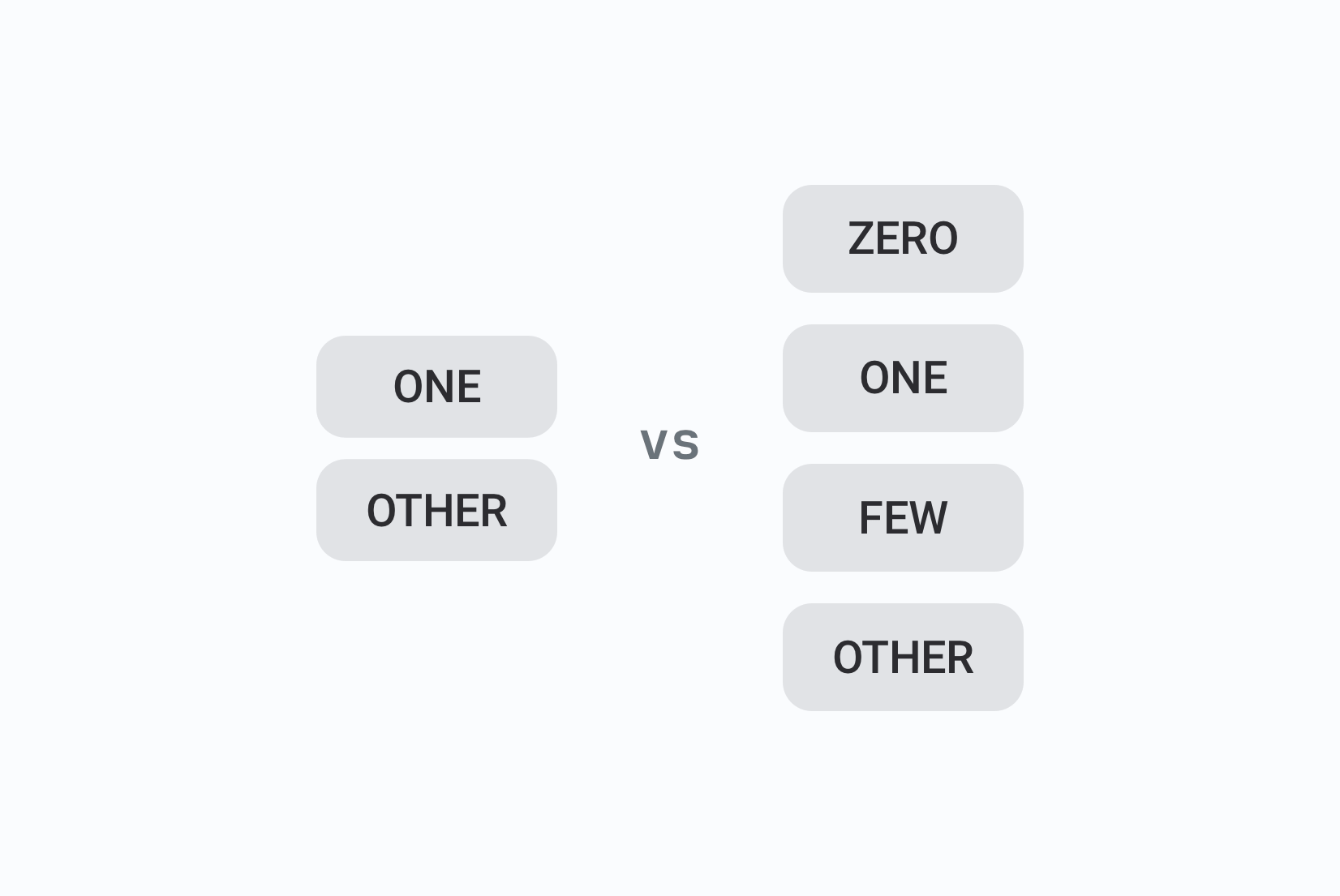
one:/other:/few:/many:sibling keys under a parent. These must be preserved correctly in every target language; and different languagesrequire different plural keys.
For a deeper comparison of YAML versus JSON as a translation file format, including when to choose each, see YAML vs JSON for translation files.
YAML localization across frameworks
Different frameworks have different conventions for YAML structure, file naming, and plural handling. Knowing which convention your stack uses saves a lot of debugging time.
Ruby on Rails
Rails is the framework most associated with YAML localization. Translation files
live in config/locales/ and are loaded automatically by the I18n module.
# config/locales/en.yml
en:
  site:
    name: "Pillow Hotel"
    slogan: "Your comfort, our priority"
  mailer:
    booking_confirmation:
      subject: "Your booking at %{hotel_name} is confirmed"
      greeting: "Dear %{name},"
      message: "Thank you for choosing Pillow Hotel."
Rails pluralization uses one and other for English, but other languages
require additional forms. Polish, for example, needs one, few, many,
and other:
# config/locales/pl.yml
pl:
  homepage:
    rooms_count:
      one: "Zarezerwowano 1 pokój"
      few: "Zarezerwowano %{count} pokoje"
      many: "Zarezerwowano %{count} pokoi"
      other: "Zarezerwowano %{count} pokoju"
Rails reads plural keys based on the i18n-js pluralization rules for each
locale. If your target language needs plural keys that don't exist in the
translation file, Rails falls back silently, meaning you can ship broken
pluralization without any error.
Symfony (PHP)
Symfony supports YAML translation files in translations/ alongside XLIFF
and PHP arrays. The format omits the root locale key that Rails uses:
# translations/messages.en.yaml
navigation.home: Home
navigation.rooms: Rooms
navigation.dining: Dining
navigation.spa: Spa & Wellness
navigation.booking: Book Now
errors.not_found: Page not found
Symfony also supports nested YAML:
# translations/messages.en.yaml
navigation:
  home: Home
  rooms: Rooms
  dining: Dining
site:
  name: Pillow Hotel
Pluralization in Symfony uses the pipe syntax within the value string rather than nested keys:
rooms_booked: "You have no rooms booked|You have one room booked|You have %count% rooms booked"
When translating Symfony YAML files, the plural separator (|) must be preserved exactly, translation engines that don't know about it will translate or remove it.
Laravel (with YAML packages)
Laravel's default format is PHP arrays, but many teams use YAML via packages
like spatie/laravel-translation-loader or custom loaders. The structure
typically mirrors the Symfony flat or nested style.
Next.js / React with i18next
Most React and Next.js setups use JSON rather than YAML for translation files, but some teams prefer YAML for its readability and use build-time conversion to JSON. If your project does this, the YAML files are the source of truth and the JSON files are generated, make sure your translation workflow targets the YAML source, not the generated JSON.
For React-specific localization, see our guides on best i18n libraries for React and how to localize a React app with i18next.
Common YAML translation errors (and how to avoid them)
These are the mistakes that cause YAML localization to break in production. Most are invisible until they cause a runtime error or a user files a support ticket.
Indentation errors
The most common YAML mistake. One misaligned space breaks the entire file or silently misreads your structure.
# Broken (spa is at the wrong indentation level)
en:
  navigation:
    home: "Home"
    rooms: "Rooms"
   spa: "Spa & Wellness"   # one space off (will parse incorrectly)

# Correct
en:
  navigation:
    home: "Home"
    rooms: "Rooms"
    spa: "Spa & Wellness"
Prevention: never have translators edit raw YAML files. Use a translation editor that stores strings in a database and exports valid YAML. If you must use raw files, add a YAML linter (like yamllint) to your CI pipeline.
Placeholder corruption
Translation engines that don't understand your placeholder format will translate or rearrange placeholder text, producing broken runtime strings.
# Source
en:
  homepage:
    welcome_message: "Welcome back, %{name}! Your reservation is confirmed."

# What a naive translation engine produces
de:
  homepage:
    welcome_message: "Willkommen zurück, %{Name}! Ihre Reservierung ist bestätigt."  # %{name} → %{Name}, now broken

# Correct
de:
  homepage:
    welcome_message: "Willkommen zurück, %{name}! Ihre Reservierung ist bestätigt."
Rails uses %{variable} syntax. Symfony uses %variable%. i18next uses {{variable}}. Make sure your translation tool knows which format you're using and protects those placeholders during translation.
Missing plural keys for target languages
Adding one and other works for English. For many other languages you need more forms, and missing forms cause silent fallback behavior.
# Incomplete Polish pluralization
pl:
  homepage:
    rooms_count:
      one: "Zarezerwowano 1 pokój"
      other: "Zarezerwowano %{count} pokoi"

# Complete
pl:
  homepage:
    rooms_count:
      one: "Zarezerwowano 1 pokój"
      few: "Zarezerwowano %{count} pokoje"
      many: "Zarezerwowano %{count} pokoi"
      other: "Zarezerwowano %{count} pokoi"
See our pluralization guide for a full breakdown of plural forms by language and how to implement them correctly.
Key drift between locales
A developer adds a new key to en.yml. The other locale files never get updated.
The app falls back to English for those strings in all other languages, and nobody notices.
# en.yml: 4 navigation keys
en:
  navigation:
    home: "Home"
    rooms: "Rooms"
    dining: "Dining"
    spa: "Spa & Wellness"   # New key added

# de.yml: still 3 keys, spa key missing
de:
  navigation:
    home: "Startseite"
    rooms: "Zimmer"
    dining: "Restaurant"
    # spa: missing: silent fallback to English
Prevention: use a translation management platform that detects missing keys across locales and shows them in the UI. Add a YAML linter to CI that checks for missing keys between files. Consider a workflow where the source language is frozen and approved before translation, so translators aren't working on strings that might change.
Special characters breaking YAML parsing
Certain characters require quoting in YAML: colons followed by a space, hash signs, ampersands, and strings starting with certain characters.
# These will break YAML parsing
en:
  tagline: Your comfort, our priority: guaranteed    # colon + space in value
  hashtag: #PillowHotel                              # looks like a comment
  brand: Pillow & Comfort Hotels                     # ampersand

# Quote them
en:
  tagline: "Your comfort, our priority: guaranteed"
  hashtag: "#PillowHotel"
  brand: "Pillow & Comfort Hotels"
When translators edit YAML directly, they often introduce these issues. A translation management system that exports valid YAML eliminates this class of error entirely.
Translation approaches by team size
There are several approaches to translating YAML files.
Manual translation (solo / very small projects)
For a project with one developer and two or three languages, editing YAML files directly is viable. The workflow:
- Duplicate your source file (
en.yml) for each new locale (es.yml,fr.yml). - Keep key paths identical across all files; only translate the values.
- Run a YAML linter or validator after every edit.

For multi-language files (e.g., locales.yml):
- Add new language sections under the root key (e.g.,
es:). - Translate values while preserving the structure.
- Validate the entire file to ensure no syntax issues.
Here is an example of a simple multi-language YAML file:
en:
  site:
    name: "Pillow Hotel"
    slogan: "Your comfort, our priority"
  navigation:
    home: "Home"
    rooms: "Rooms"
    dining: "Dining"

es:
  site:
    name: "Hotel Almohada"
    slogan: "Tu comodidad, nuestra prioridad"
  navigation:
    home: "Inicio"
    rooms: "Habitaciones"
    dining: "Restaurante"
This breaks down quickly as soon as you have more than three or four languages or more than one person touching the files.
Translation editor with a TMS (growing teams)
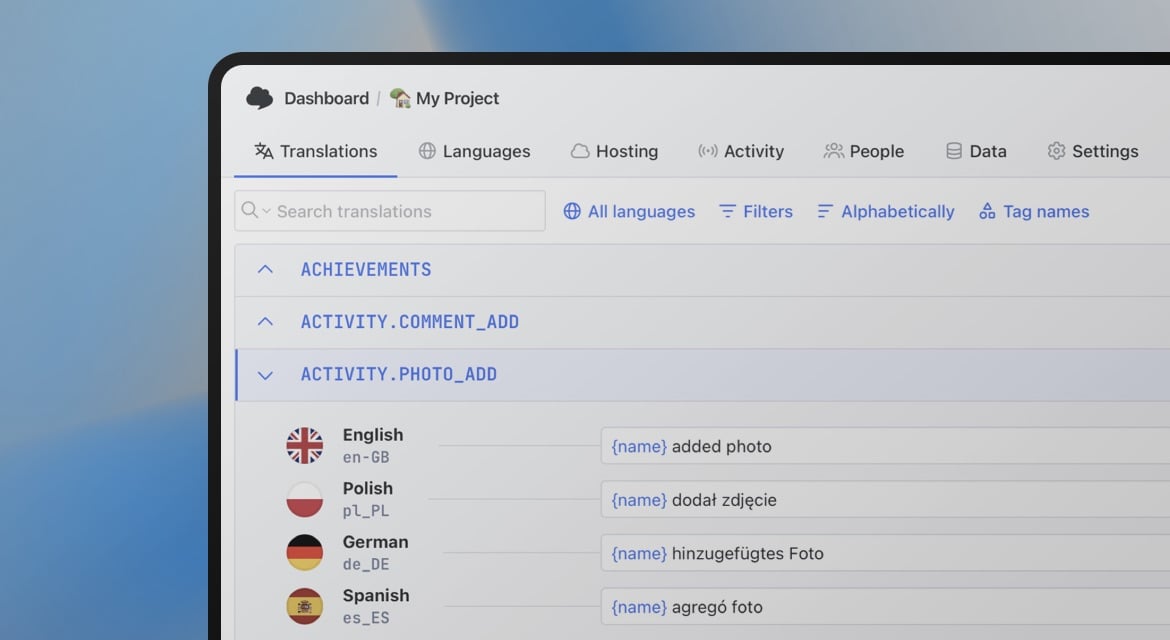
For teams with dedicated translators or multiple contributors, a translation management system like SimpleLocalize eliminates the raw-file editing problems entirely. Translators work in a purpose-built editor; developers work in code; the TMS keeps them in sync.
With SimpleLocalize, the workflow is:
- Import your source YAML files (via upload, CLI, or GitHub App).
- Add target languages in the Languages tab.
- Auto-translate to generate drafts for all missing strings.
- Review in the translation editor: add context, screenshots, comments and tasks for translators.
- Export clean, validated YAML back to your repo.
Automated pipeline (CI/CD)
For products that ship regularly, translation should happen automatically as part of your build. New keys added to the source YAML are detected, translated, and synced back without manual steps.
A minimal GitHub Actions workflow:
name: 'Sync translations'

on:
  push:
    branches: [main]

jobs:
  sync:
    runs-on: ubuntu-latest
    steps:
      - uses: actions/checkout@v4

      - name: Install SimpleLocalize CLI
        run: npm install -g simplelocalize-cli

      - name: Upload source YAML
        run: |
          simplelocalize upload \
            --apiKey ${{ secrets.SIMPLELOCALIZE_API_KEY }} \
            --uploadPath "config/locales/en.yml" \
            --uploadFormat yaml \
            --uploadLanguageKey en

      - name: Auto-translate missing keys
        run: |
          simplelocalize auto-translate \
            --apiKey ${{ secrets.SIMPLELOCALIZE_API_KEY }}

      - name: Download translated files
        run: |
          simplelocalize download \
            --apiKey ${{ secrets.SIMPLELOCALIZE_API_KEY }} \
            --downloadFormat yaml \
            --downloadPath "config/locales/{lang}.yml"

      - name: Commit translations
        run: |
          git config user.email "ci@yourapp.com"
          git config user.name "Translation Bot"
          git add config/locales/
          git diff --staged --quiet || git commit -m "chore: sync translations"
          git push
This triggers only when en.yml changes. New or modified keys are uploaded,
auto-translated for all target locales, and committed back. By the time a PR
lands on main, translated files are already updated.
For a deeper dive into CI/CD automation including GitHub App configuration, multi-file setups, and automation rules, see our guide on how to auto-translate YAML files.
Best practices for YAML translation files
Here are some tips to keep your YAML translations clean and maintainable:
-
Mirror the same key tree across all locales.
Key paths must be identical in every locale file. Any deviation causes runtime errors or silent fallback. Use tooling to detect mismatches rather than catching them by eye.
-
Never have translators edit raw YAML.
The format is too unforgiving. A translation editor that exports valid YAML eliminates an entire class of production errors.
-
Protect placeholders explicitly.
Know which placeholder format your framework uses (
%{name},{{name}},%name%) and make sure your translation tool protects that syntax. Test with a string that contains a placeholder before relying on any translation engine for production content. -
Handle plurals per language, not per English convention.
English needs two plural forms. Polish needs four. Arabic needs six. Define the correct plural keys for each target language upfront rather than discovering missing forms in production.
-
Keep keys stable; change values only.
Translation keys are your API contract with your i18n library. Renaming a key means updating every locale file and every reference in your code simultaneously. Avoid it unless necessary.
-
Use descriptive, namespaced keys.
checkout.payment.card_declinedis better thanerror_7. Namespacing by feature (nav,auth,dashboard,errors) keeps large files organized and makes ownership clear when multipleteams contribute. -
Freeze the source language before translation begins.
Translating a string that is still being edited wastes effort and introduces inconsistency. Mark source strings as approved before sending them for translation.
-
Add a YAML linter to CI.
Catch syntax errors before they reach staging.
yamllintis a reliable, configurable option that integrates easily into any pipeline.
# Install and run yamllint
pip install yamllint
yamllint config/locales/
Choosing a translation engine for YAML files
The translation engine matters for quality, but so does what the engine receives. A translation engine that gets a bare string with no context will produce a worse translation than one that knows the string is a navigation button label in a fintech app for a younger audience.

Practical guidance by content type:
- UI labels, navigation, error messages: DeepL or Google Translate produce reliable results quickly and cheaply. Good for bulk translation of short strings.
- Onboarding, marketing, help text: LLM-based translation (OpenAI, Claude, Gemini) with project-level and key-level context produces noticeably better output for content where tone matters. Slower and more expensive, but worth it for user-facing copy that drives conversion or retention.
- Legal, compliance, medical content: human translation with professional review. Machine translation can serve as a first draft, but these categories require domain expertise that current engines cannot reliably provide.
For a direct comparison with examples, see Auto-translation comparison with examples.
Summary
Translating YAML files correctly comes down to a few principles: preserve the structure, protect placeholders, handle plurals properly for each target language, and stop having translators edit raw files. The specific tool or workflow you use matters less than getting these fundamentals right.
For solo projects, manual editing with a linter is fine. For teams, a TMS that exports valid YAML removes most of the failure modes. For products shipping regularly, a CI/CD pipeline that handles the sync automatically means translation becomes a background concern rather than a release bottleneck.
The broader context, how YAML translation fits into key management, locale detection, fallback strategies, and deployment, is covered in our complete technical guide to internationalization.