iOS localization 2026: Guide to .strings, .xcstrings & String Catalogs

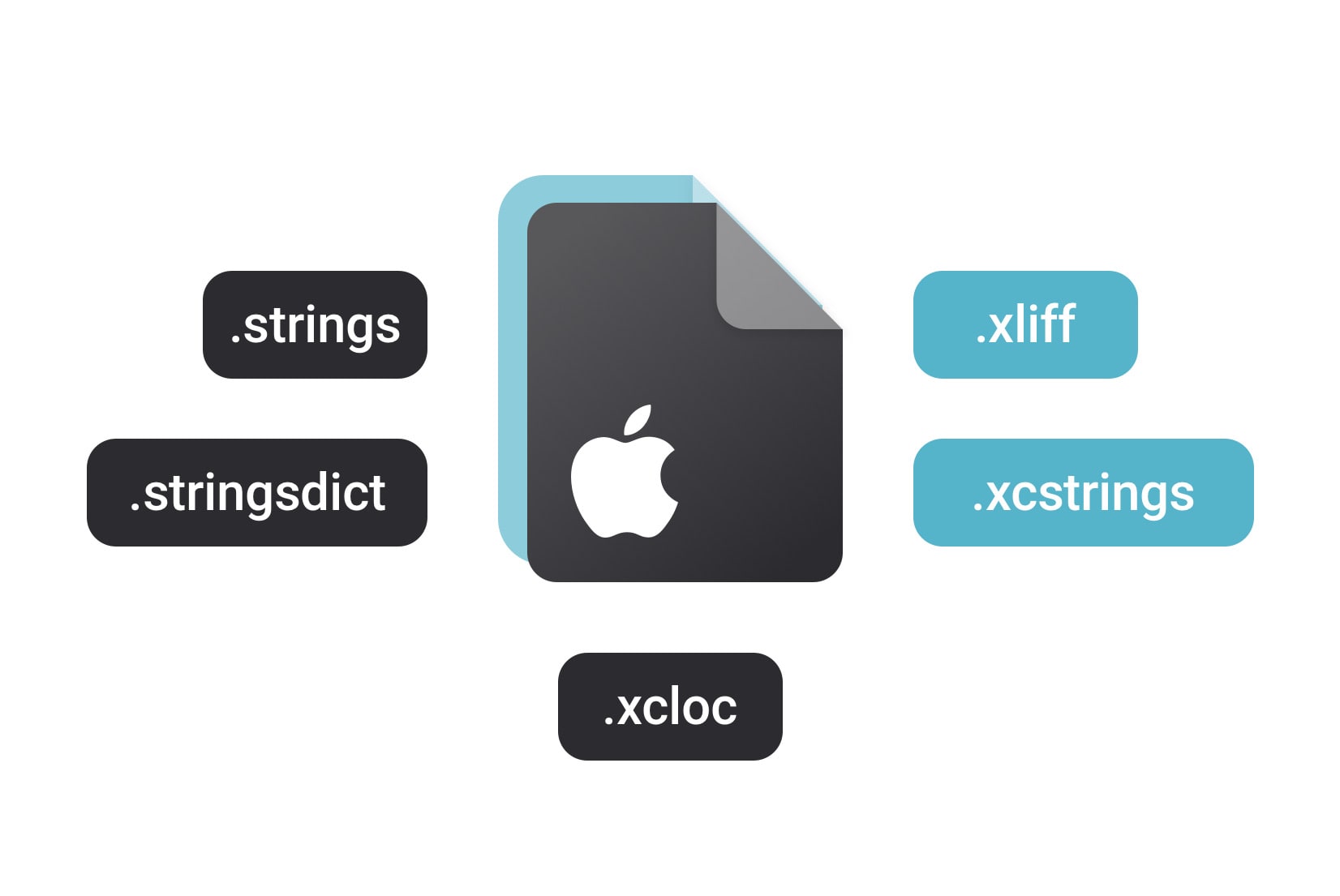
Localizing your iOS app is essential if you want to reach users worldwide. But Apple gives you multiple translation file formats: .strings, .stringsdict, .xcstrings, .xcloc, and .xliff, and it's not always clear which one to use, when, or how they work together. File format decisions like these are part of the broader i18n architectural landscape covered in our complete technical guide to internationalization and software localization.
In this guide, we'll walk through each iOS localization format, explain their differences, show examples, and share best practices.
Why file format choice matters
iOS supports several file formats for localization, each designed for specific scenarios. The choice of file format can impact the ease of translation, the ability to handle complex linguistic features, and the overall efficiency of your localization workflow.
Choosing the right file format isn't just a technical detail:
- Some formats support pluralization and device-specific variants, others don't.
- Some formats carry metadata, comments, and translation states, which help translators.
- Some are better for working with agencies or translation tools.
- Apple is actively evolving which formats it recommends.
- SimpleLocalize supports import, export, CLI, API for all major iOS localization formats, which enables automating sync with your builds.
Does Apple impose a specific format?
Apple doesn’t force you to use a single format, but there are defaults that depend on your tools and iOS version:
Historically (.strings + .stringsdict):
.stringsfiles were the standard. If you localized a project in older Xcode versions, Apple generatedLocalizable.stringsby default.- Pluralization was handled separately via
.stringsdictfiles.
Today (.xcstrings):
- Since Xcode 15, the default when you add a new localized string in the String Catalog editor is
.xcstrings. - This format combines
.stringsand.stringsdictinto a single structured file, with added support for metadata and translation state.
Exchange formats (.xcloc & .xliff):
.xclocand.xliffare not default storage formats in your repo, they are used when exporting/importing translations for collaboration with agencies
In practice, Apple will load translations from any of these supported formats as long as the files are placed in the correct *.lproj language folder inside your app bundle.
- If your project contains only
.strings, iOS will load them. - If it contains
.xcstrings, iOS will load those. - You can use both formats side by side, which makes gradual migration possible.
Apple is clearly nudging developers toward string catalogs (.xcstrings), but older formats remain supported.
Comparison of iOS translation formats
Here's a summary of the main formats you'll see, what they support, and when to use them. Later sections deepen those details.
| Format | Structure | Plural support | Metadata / context | Best use case |
|---|---|---|---|---|
| .strings | Key-value pairs | No | No | Basic UI strings, small apps, legacy projects |
| .stringsdict | XML | Yes | Limited | Plurals, device-specific variants, complex text |
| .xcstrings | JSON-like | Yes | Yes (comments, state, variants) | Modern projects, recommended going forward |
| .xcloc | Catalog of .xliff + metadata | Yes | Yes | Export/import full localization projects |
| .xliff | Standard XML | Yes | Yes | Collaboration with agencies, translators |
.strings: The classic format
.strings files are simple key-value pairs:
// English
"welcome_message" = "Welcome to the app!";
"logout" = "Log out";
"items_count" = "You have %d items.";

// French
"welcome_message" = "Bienvenue dans l'application !";
"logout" = "Se déconnecter";
"items_count" = "Vous avez %d éléments.";
About:
- Plain text key-value pairs, e.g.
"key" = "Translated text"; - Stored inside *.lproj folders (e.g., en.lproj/Localizable.strings).
- Classic format for static strings in iOS / macOS.
Limitations:
- No pluralization.
- No metadata or context for translators.
- No built-in device variants.
Use
.stringsif you are maintaining a legacy app or just need quick, simple localization.
SimpleLocalize support:
You can manage .strings files directly in SimpleLocalize:
simplelocalize upload --apiKey <PROJECT_API_KEY> \
  --uploadFormat localizable-strings \
  --uploadPath ./{lang}/Localizable.strings

  simplelocalize download --apiKey <PROJECT_API_KEY> \
  --downloadFormat localizable-strings \
  --downloadPath ./{lang}/Localizable.strings
- Import/export
.stringsfiles straight from the translation editor. - Automate sync with the CLI, REST API, or set up a GitHub integration to keep translations in step with your repository.
Check out our docs for more details regarding .strings support in SimpleLocalize.
.stringsdict: Handling plurals and variants
.stringsdict files are XML-based and support pluralization and device-specific variants:
<?xml version="1.0" encoding="UTF-8"?>
<plist version="1.0">
<dict>
    <key>items_count</key>
    <dict>
    <!-- Pluralization example -->
        <key>NSStringLocalizedFormatKey</key>
        <string>%#@items@</string>
        <key>items</key>
        <dict>
            <key>NSStringFormatSpecTypeKey</key>
            <string>NSStringPluralRuleType</string>
            <key>NSStringFormatValueTypeKey</key>
            <string>d</string>
            <key>one</key>
            <string>You have %d item.</string>
            <key>other</key>
            <string>You have %d items.</string>
        </dict>
    </dict>
    <!-- Device specific example -->
    <key>user_instructions</key>
    <dict>
        <key>NSStringDeviceSpecificRuleType</key>
        <dict>
            <key>iphone</key>
            <string>Tap here</string>
            <key>mac</key>
            <string>Click here</string>
            <key>appletv</key>
            <string>Press here</string>
        </dict>
    </dict>
</dict>
</plist>
About:
- XML format that supports pluralization rules and device-specific variants.
- Must be paired with a
.stringsfile for non-plural text.
Usage:
- For strings that vary depending on count (plural forms).
- For device-specific versions (e.g. different wording or instructions on Mac vs iPhone).
SimpleLocalize support:
You can manage .stringsdict files directly in SimpleLocalize:
simplelocalize upload --apiKey <PROJECT_API_KEY> \
  --uploadFormat localizable-strings-dict \
  --uploadPath ./{lang}/Localizable.stringsdict
- Import/Export: Fully supported. Upload
.stringsdictfiles directly from the translation editor or via CLI/API. - In the translation editor, plural forms will be shown as separate translation keys (e.g.
items_count.one,items_count.other).
Check out our docs for more details regarding .stringsdict support in SimpleLocalize.
.xcstrings: The modern string catalog
.xcstrings files are JSON-like and combine the features of .strings and .stringsdict, with added metadata:
{
  "version": "1.0",
  "sourceLanguage" : "en",
  "strings" : {
    "hello_world" : {
      "shouldTranslate": true,
      "comment" : "Here is a comment for the translator",
      "extractionState" : "manual",
      "localizations" : {
        "en" : {
          "stringUnit" : {
            "state" : "translated",
            "value" : "Hello World"
          }
        },
        "fr" : {
          "stringUnit" : {
            "state" : "translated",
            "value" : "Bonjour le monde"
          }
        }
      }
    },
    "items_count" : {
      "shouldTranslate": true,
      "comment" : "Number of items in the cart",
      "extractionState" : "manual",
      "localizations" : {
        "en" : {
          "variations" : {
            "plural" : {
              "one" : {
                "stringUnit" : {
                  "state" : "translated",
                  "value" : "You have %lld item."
                }
              },
              "other" : {
                "stringUnit" : {
                  "state" : "translated",
                  "value" : "You have %lld items."
                }
              }
            }
          }
        }
      }
    }
  }
}
About:
- Apple's recommended format starting with Xcode 15.
- JSON-like structure that replaces
.strings+.stringsdict. - Supports pluralization, device variants, comments, and translation state.
Why use it:
- Modern, structured, future-proof.
- Easier to manage in Xcode's GUI.
- Built-in support for plural forms and device variants.
SimpleLocalize support:
String catalogs are fully supported:
# Upload translations to SimpleLocalize
simplelocalize upload --apiKey <PROJECT_API_KEY> \
  --uploadFormat localizable-xcstrings \
  --uploadPath ./Localizable.xcstrings

# Download translations from SimpleLocalize
simplelocalize download --apiKey <PROJECT_API_KEY> \
  --downloadFormat localizable-xcstrings \
  --downloadPath ./Localizable.xcstrings
- Import and export just one
.xcstringsfile per language or multiple files (namespaces). - Manage all translations centrally in the translation editor, add new languages, and run auto-translation and quality checks.
- Use CLI, API, or GitHub integration for continuous localization.
- Enable universal placeholders (
--uploadOptions UNIVERSAL_PLACEHOLDERS) to convert iOS-native format specifiers like%@and%lldinto platform-independent placeholders (useful if you manage both iOS and Android translations).
CI/CD pattern: upload on push, download into build
# In your CI pipeline (e.g., GitHub Actions)
# Step 1: Upload source strings after merge to main
simplelocalize upload --apiKey <PROJECT_API_KEY> \
  --uploadFormat localizable-xcstrings \
  --uploadPath ./Localizable.xcstrings \
  --overwrite

# Step 2: Download latest translations before build
simplelocalize download --apiKey <PROJECT_API_KEY> \
  --downloadFormat localizable-xcstrings \
  --downloadPath ./Localizable.xcstrings
Check out our docs for more details regarding .xcstrings support in SimpleLocalize.
Xcode 26 note: Xcode 26 (announced at WWDC25) introduces version 1.1 of the
.xcstringsformat with automatic AI-generated context comments. This means Xcode can now auto-generate translator-facing notes based on how strings are used in your code. SimpleLocalize will import and preserve these comments when you upload your.xcstringsfile.
.xcloc: Localization catalogs
.xcloc files are packages that contain .xliff localization files along with metadata about the localization project.
MyApp.xcloc/
  ├── Contents.json
  └── Localizations/
        ├── en.xliff
        ├── fr.xliff
        └── de.xliff
About:
- A folder (bundle) containing
.xlifffiles and aContents.jsonmetadata file. - Generated by Xcode when you use Export for Localization.
Use case:
- Full localization handoff to translators.
- Best when working with external agencies or teams that use
.xliff.
Learn more about
.xclocfile format.
.xliff: The exchange format
.xliff (XML Localization Interchange File Format) is a standard XML-based format for exchanging localization data between different tools.
<?xml version="1.0" encoding="UTF-8"?>
<xliff version="1.2">
  <file source-language="en" target-language="fr" datatype="plaintext" original="Localizable.strings">
    <body>
      <trans-unit id="hello_world">
        <source>Hello World</source>
        <target>Bonjour le monde</target>
        <note>Here is a comment for the translator</note>
      </trans-unit>
      <trans-unit id="items_count">
        <source>You have %d items.</source>
        <target>Vous avez %d articles.</target>
      </trans-unit>
    </body>
  </file>
</xliff>
About:
- Industry-standard XML format for exchanging translations.
- Widely supported outside Apple’s ecosystem.
- Can represent complex structures, including plural forms and context.
Use .xliff if you need to collaborate with translation agencies or tools that don’t use Xcode.
SimpleLocalize support:
You can import and export .xliff files directly in SimpleLocalize, from the translation editor or via CLI/API.
simplelocalize upload \
  --apiKey PROJECT_API_KEY \
  --uploadLanguageKey en \
  --uploadFormat xliff:1.2 \
  --uploadPath ./en.xliff
Check out the details in our docs regarding .xliff support in SimpleLocalize or read our dedicated blog post about XLIFF files.
How to migrate from .strings to .xcstrings
If you have an existing project using .strings and .stringsdict files, Xcode makes it easy to migrate to the modern .xcstrings format.
Step-by-step migration in Xcode
- Open your project in Xcode 15 or later.
- Select your
Localizable.stringsfile in the Project Navigator. - Go to Editor → Convert to String Catalog.
- Xcode will show a confirmation dialog listing the files to convert. Click Convert.
- Xcode creates a new
Localizable.xcstringsfile and migrates all your keys, values, and comments. - If you also have a
Localizable.stringsdictfile, Xcode will merge pluralization rules into the new catalog automatically. - Delete the old
.stringsand.stringsdictfiles after verifying the migration.
// Before migration: two separate files
// en.lproj/Localizable.strings
"welcome_message" = "Welcome!";
"items_count" = "You have %d items.";

// en.lproj/Localizable.stringsdict
// (XML with NSStringPluralRuleType for items_count)

// After migration: single Localizable.xcstrings file
// Contains both simple strings and plural rules in one structured JSON file.
Tip: You can convert individual
.stringsfiles or convert all at once. Xcode preserves your existing translations, comments, and plural forms during the migration.
What to watch out for
- Custom
.stringsfilenames: If you use files other thanLocalizable.strings(e.g.,Settings.strings), each one converts to its own.xcstringscatalog. - Build settings: After conversion, verify that the new
.xcstringsfile is included in your target's resources. - Source control: Commit the new
.xcstringsfile and remove the old.strings/.stringsdictfiles in the same commit. - CI/CD pipelines: Update your localization scripts to use
localizable-xcstringsformat instead oflocalizable-strings.
If you're using SimpleLocalize, update your CLI commands after migration:
# Before (old format)
simplelocalize upload --apiKey <PROJECT_API_KEY> \
  --uploadFormat localizable-strings \
  --uploadPath ./{lang}/Localizable.strings

# After (new format)
simplelocalize upload --apiKey <PROJECT_API_KEY> \
  --uploadFormat localizable-xcstrings \
  --uploadPath ./Localizable.xcstrings
Multiple string catalogs and namespacing
While the examples above show a single Localizable.xcstrings file, real-world projects often split translations into multiple catalogs organized by feature or module. This is especially useful for large apps where a single file becomes hard to manage.
Why use multiple catalogs?
- Feature isolation: Each team or module owns its own translations (e.g.,
Settings.xcstrings,Onboarding.xcstrings,Checkout.xcstrings). - Faster builds: Xcode only recompiles catalogs that changed.
- Cleaner diffs: Smaller files mean fewer merge conflicts.
- Lazy loading: Load translations on demand for features that aren't always used.
How it works in Xcode
Create additional .xcstrings files in your project:
MyApp/
├── Localizable.xcstrings          # General / shared strings
├── Settings.xcstrings              # Settings module strings
├── Onboarding.xcstrings            # Onboarding flow strings
└── Checkout.xcstrings              # Checkout flow strings
In Swift, reference strings from a specific catalog using the table parameter:
// Load from default Localizable.xcstrings
Text("welcome_message")

// Load from Settings.xcstrings
Text("notifications_label", tableName: "Settings")

// Load from Onboarding.xcstrings
String(localized: "step_1_title", table: "Onboarding")
Syncing multiple catalogs with SimpleLocalize
SimpleLocalize maps each .xcstrings file to a namespace, so you can manage them all in one project:
# Upload all catalogs (each file becomes a namespace)
simplelocalize upload --apiKey <PROJECT_API_KEY> \
  --overwrite \
  --uploadFormat localizable-xcstrings \
  --uploadPath ./Localizable-{ns}.xcstrings
  --overwrite

# Download all catalogs
simplelocalize download --apiKey <PROJECT_API_KEY> \
  --downloadFormat localizable-xcstrings \
  --downloadPath ./Localizable-{ns}.strings
The {ns} placeholder in the path automatically maps filenames to namespaces. For example, Localizable-settings.xcstrings becomes the Settings namespace in SimpleLocalize, and Localizable-onboarding.xcstrings becomes the Onboarding namespace.
Learn more about namespaces in SimpleLocalize and how they help you organize translations at scale.
Managing iOS translations with SimpleLocalize
Manually handling multiple iOS localization formats and translation updates can lead to errors, inconsistencies, and wasted time. SimpleLocalize TMS makes the translation management easier by allowing you to:
- Import/export of all iOS formats via CLI, REST API, or GitHub integration.
- Centralize all your iOS translation files in one place.
- Provide translators with context, comments, and plural forms.
- Collaborate with teams and agencies.
- Auto-translate and run quality checks.
- Automate review process and translation workflows.
- Keep translations in sync with your codebase.
Check some examples of AI-powered localization workflow automation with SimpleLocalize.
Best practices for iOS localization
While iOS provides flexibility in localization formats, following best practices can help to improve your workflow and ensure high-quality translations:
- Use keys, not hardcoded strings. Make them consistent and descriptive.
- Prefer
.xcstringsfor new projects. - For large projects, consider namespacing your strings into multiple files.
- Store pluralization in
.stringsdictor.xcstrings. - Provide context and comments for translators.
- Regularly review translations and run quality checks.
- Export
.xclocor.xliffwhen working with agencies. - Automate with SimpleLocalize to avoid manual mistakes.
If you are using
.strings, keep oneLocalizable.stringsper language. For new projects, prefer.xcstringscatalogs, one per language.
Final thoughts
Apple's localization formats have evolved from .strings to .xcstrings, with .xcloc and .xliff for translation exchange. While multiple formats are supported, Apple is clearly moving toward string catalogs as the future of iOS localization.
With SimpleLocalize, you don't have to worry about file quirks. Upload any format, manage translations in one place, and sync them back to your app with a single command.
Ready to simplify your iOS localization workflow? Start with SimpleLocalize.
Related reading: For a deep dive into the
.xcstringsformat, including advanced pluralization, device variants, substitutions, and CI/CD automation, check out our complete guide to Xcode String Catalogs (.xcstrings).