Internationalization for SaaS teams: A practical guide to building multilingual products

Most SaaS teams discover the cost of skipping internationalization at the worst possible moment: right when a new market starts converting, or when an enterprise deal hinges on supporting a second language. At that point, the refactor is expensive, the timeline is tight, and the shortcuts taken years earlier have to be undone one by one.
This post is for teams that want to do it right, whether that means starting fresh with a good foundation, or understanding what a proper i18n architecture looks like before committing to one.
If you're looking for the deep technical layer, framework-by-framework implementation, RTL CSS, Unicode edge cases , the complete technical guide to i18n and software localization covers all of that. What we focus on here is the SaaS-specific layer: the decisions, team structures, and tradeoffs that determine whether internationalization helps or hinders your product velocity.
What internationalization actually means for a SaaS product
Internationalization (i18n) is the engineering work that makes your product capable of supporting multiple languages and regional formats. It is not translation. It is the infrastructure that makes translation possible.
For a SaaS product specifically, that includes:
- Externalizing all user-facing strings into translation files instead of hardcoding them in components
- Using locale-aware formatting for dates, times, numbers, and currencies instead of hard-coded format strings
- Designing layouts that can accommodate text expansion and right-to-left scripts
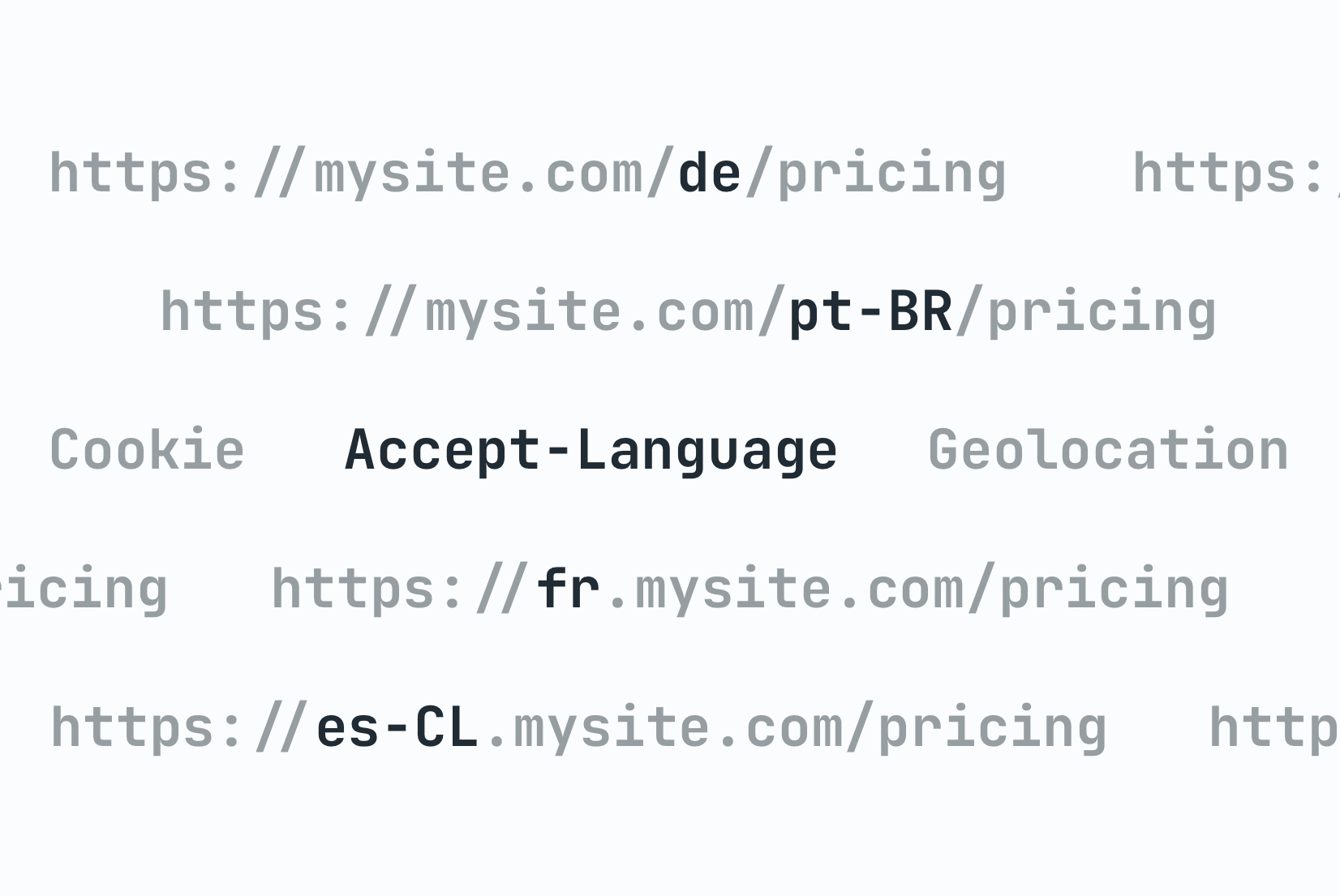
- Building routing and URL structures that can represent locale
- Making backend services locale-aware so emails, notifications, and API responses can be translated too
The distinction matters because i18n and localization are often confused as the same project. They are not. i18n is an engineering investment you make once (and maintain). Localization is an ongoing operational process that depends on that investment being in place. If your codebase is not internationalized, no amount of translation work will get you to a properly localized product.
For a breakdown of where each concept fits, see our overview of localization vs internationalization vs translation.
The SaaS-specific challenge
Consumer apps often localize a focused surface area: a handful of screens, a few hundred strings, a limited set of markets. SaaS products are different.
A SaaS product typically has:
- A larger and more complex UI: dashboards, settings pages, onboarding flows, billing interfaces, error states, empty states, tooltips
- Backend-generated content: email notifications, in-app alerts, PDF exports, Slack integrations
- A faster release cadence: new strings added every sprint, sometimes every day
- Multiple user roles: admin-facing copy often differs from end-user copy in tone and complexity
- Enterprise requirements: large customers may need custom terminology, specific regional variants, or data residency constraints
This complexity means the decisions you make early about key naming, namespace structure, and translation pipeline architecture have a much longer-lasting impact than they do in a typical web or mobile app. For a concrete breakdown of the specific choices that drive localization cost as you scale, see i18n decisions that affect localization cost.
When to start
The honest answer: as early as possible, even before you plan to support a second language.
The argument for waiting until you have traction is understandable. You want to ship fast, validate the product, and not over-engineer. But internationalization is one of the few infrastructure decisions where the cost of waiting is almost always higher than the cost of doing it early.
Setting up translation keys and using Intl.DateTimeFormat instead of hardcoded date strings adds maybe a day or two to initial development. Retrofitting a mature codebase that never accounted for i18n can take weeks of developer time and touches nearly every layer of the product.
If you need concrete examples, see our quick cost breakdown of late i18n.
The practical minimum you should implement from day one, even if you ship in a single language:
- All user-facing strings referenced through translation keys, not hardcoded
- Dates, times, numbers, and currencies formatted using locale-aware APIs
- Layouts that use relative sizing and avoid overflow: hidden on translatable text
- A clear folder structure for translation files, even if there is only one language file
This foundation costs very little to put in place. Without it, you will pay far more when internationalization eventually becomes a business requirement.
Ownership: Who is responsible for what
One of the most damaging i18n anti-patterns in SaaS teams is unclear ownership. When nobody explicitly owns internationalization, it becomes everyone's low-priority task and nobody's responsibility.
The right ownership model is not complicated, but it must be explicit:
-
Engineering owns the i18n infrastructure.
This means the library choice, the translation key naming conventions, the CI/CD pipeline for syncing translations, and the tooling developers use day-to-day. These are architectural decisions with long-term consequences. They should not be driven by whoever happened to start a localization initiative on a given sprint. -
Product or localization teams own the content.
Which languages to support, translation quality, review workflows, cultural adaptation, and copy decisions belong here. Engineering builds the pipes; this team decides what flows through them. -
The boundary between them is the translation management system.
A good TMS like SimpleLocalize acts as the handoff point: engineers push keys, translators update content, the CI/CD pipeline pulls the output. When this boundary is clear, the two teams can operate in parallel without blocking each other.
For a comprehensive breakdown of ownership across different team sizes and maturity levels, see our detailed guide i18n vs localization: Who owns what on your team?
In early-stage SaaS, both roles usually fall to the same people. That is fine, but being deliberate about which hat you are wearing at a given moment matters. An architecture decision about key namespaces should not be made based on what is convenient for a current translation sprint.
As the team grows, establishing a localization program manager role early, someone who sits between engineering and language teams and owns the localization roadmap, is one of the highest-leverage investments for a team serious about international growth.
Choosing the right i18n library
Library choice depends on your stack, but a few principles apply across all SaaS products.
-
Prefer libraries with ICU message support.
ICU handles pluralization, gender forms, and number formatting in a way that works across all languages, not just English. You will need this the moment you add languages like Polish (four plural forms) or Arabic (six plural forms). Libraries like react-i18next and FormatJS support ICU out of the box. -
Avoid libraries that tie you to a specific file format.
If your library only reads.propertiesfiles, you will have friction the moment your workflow needs JSON or XLIFF. Most modern libraries are format-agnostic and load translations from whatever structure you define. -
Think about TypeScript support.
Typed translation keys catch missing key references at compile time rather than at runtime in production. For SaaS products with large key sets, this saves significant debugging time. -
Consider the namespace story.
As your product grows, splitting translations into namespaces (billing, onboarding, settings, common) is essential for keeping file sizes manageable and ownership clear. Not all libraries handle this equally well. For more on this pattern, see our guide to namespaces in software localization.
Here is a quick comparison of common choices:
| Stack | Common choices | Notes |
|---|---|---|
| React / Next.js | react-i18next, next-i18next, FormatJS | react-i18next has the broadest ecosystem |
| Vue / Nuxt | vue-i18n, @nuxtjs/i18n | @nuxtjs/i18n adds auto-routing and SEO |
| Angular | @angular/localize | Built-in but tightly coupled to build tooling |
| Flutter | flutter_localizations, slang | ARB file format |
| iOS / macOS | Xcode String Catalogs (.xcstrings) | Native, no third-party dependency |
| Android | strings.xml | Native resource system |
For React-specific guidance, the overview of React i18n libraries covers the main options in more depth.
Translation key architecture
Translation keys are where most SaaS teams accumulate the most long-term pain. Poor naming conventions compound as the product grows.
A few conventions that hold up at scale:
- Use feature-scoped namespaces, not flat key files.
One gianttranslations.jsonfile becomes impossible to manage past a few hundred keys. Splitting by feature or product area keeps files small and ownership obvious.
translations/
  en/
    common.json      # shared labels, buttons, errors
    onboarding.json  # signup, setup flow
    billing.json     # plans, invoices, usage
    settings.json    # profile, team, integrations
  de/
    ...
-
Use dot notation for hierarchy within a namespace.
billing.invoice.download_buttonis clearer thanbillingInvoiceDownloadButtonand easier to group visually in translation files. -
Never use the English text as the key.
"Save changes"as a key will break the moment the English copy is updated. Use descriptive identifiers likesettings.profile.save_changes. -
Flag UI context in the key.
Whether a string is a button label, a page title, or a tooltip changes how a translator approaches it. Some teams include a suffix:settings.save_button,onboarding.welcome_heading,pricing.tooltip_seats.
For more detail on naming patterns and what to avoid, see our post on best practices for creating translation keys.
Setting up the translation workflow
The workflow is where i18n either integrates into how the team ships or becomes a recurring source of friction. The goal is to make translation updates a non-event, something that happens automatically as part of the normal development cycle.
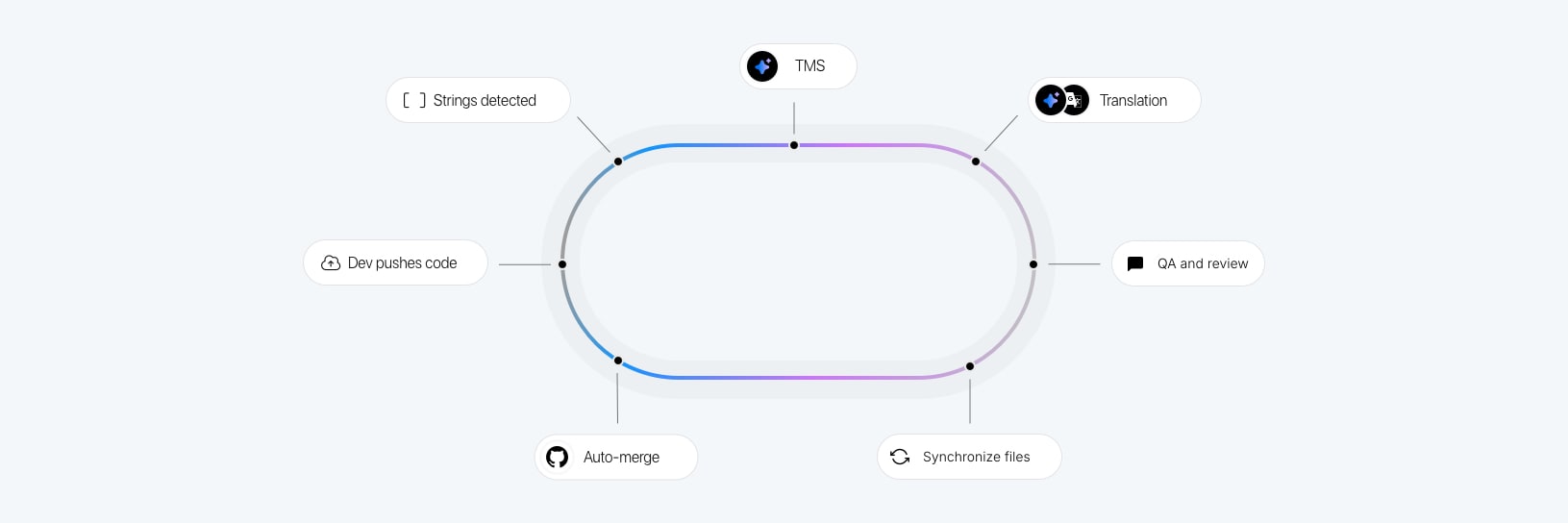
A typical workflow for a SaaS team using SimpleLocalize looks like this:
1. Developer adds a new string
The developer creates a new translation key in the source language (usually English) and references it in code. The string lives in a local JSON file alongside the source.
2. Push on commit or merge
A CI step runs the SimpleLocalize CLI to push any new or changed keys from the source language file to the translation platform. This happens automatically with every merge to the main branch.
simplelocalize upload \
  --apiKey $SIMPLELOCALIZE_API_KEY \
  --uploadFormat json \
  --uploadPath /translations/en/{namespace}.json
3. Translators work in the editor
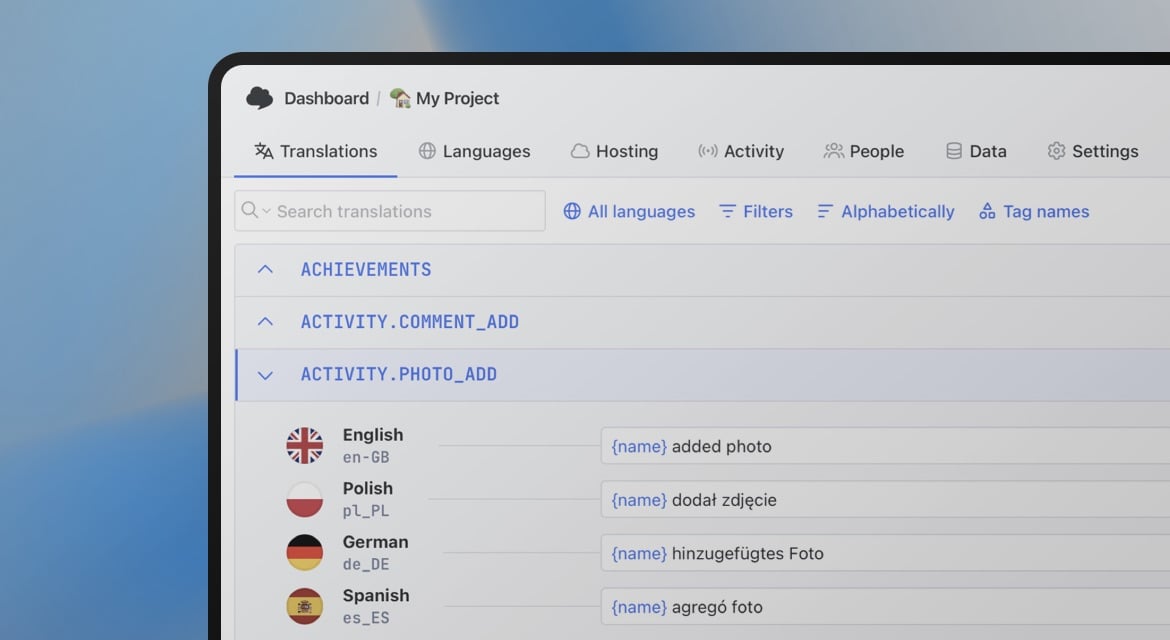
New keys appear in SimpleLocalize's translation editor, ready for translators to pick up. No file sharing, no spreadsheets, no email threads. Translators can see key context, descriptions, and character limits.

4. Pull translations before release
Before deploying, the CI pipeline pulls the latest translations for all supported languages and includes them in the build.
simplelocalize download \
  --apiKey $SIMPLELOCALIZE_API_KEY \
  --downloadFormat json \
  --downloadPath /translations/{lang}/{namespace}.json
5. Optional: auto-translate new keys
For teams using machine translation or AI translation, SimpleLocalize can automatically translate new keys using DeepL, Google Translate, or any AI model via OpenRouter. This gives translators a draft to review rather than a blank field. See the auto-translation documentation for setup details.
This pipeline eliminates the most common localization bottleneck: developers waiting on translations before shipping, or translations waiting on developers to create files and send them over.
Managing translations across releases
SaaS products ship frequently. The relationship between your code and your translations needs to be well-defined to avoid deploying features with missing or outdated strings.
-
Treat missing translations like missing tests.
Add a CI step that checks translation completeness or review status before allowing a deploy to proceed. -
Use feature flags to decouple translation readiness from code readiness.
If a new feature will ship in English first and other languages in the next sprint, gate it behind a flag. The feature is deployed but not visible to non-English users until translations are complete and the flag is enabled per locale. -
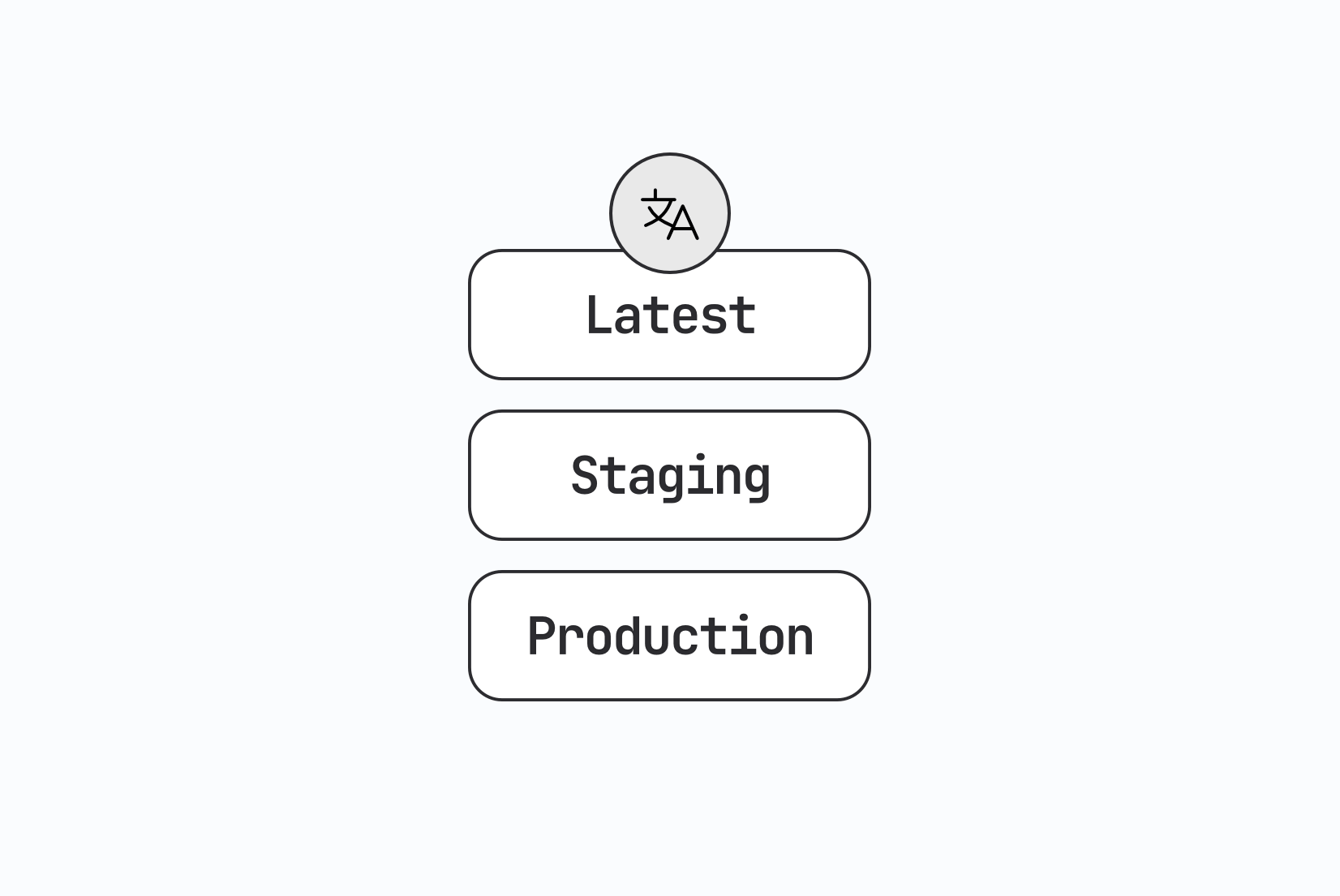
Version your translations with tags.
When you cut a release, tag the current state of your translation keys in SimpleLocalize. This gives you a clean rollback point if a translation update introduces a regression. See the guide to translation versioning with tags for how this works in practice.
AI translation in a SaaS workflow
Most SaaS teams today use some combination of machine translation and AI for initial drafts. Used correctly, this dramatically reduces the time from "key pushed" to "translation ready for review".
The practical approach: use auto-translation to generate a first draft the moment a new key is pushed. Translators review and approve rather than translating from scratch. For UI strings with clear context, AI quality is often good enough to approve with minimal edits.
This can be achieved using SimpleLocalize's automation feature: set up a workflow that triggers auto-translation whenever new keys are uploaded. This way, the moment a developer pushes a new key, it is automatically translated and ready for review without any manual steps.
Quality improves significantly when you provide context. SimpleLocalize's auto-translation feature supports project-level context (what your product is, who it is for, what tone to use) and key-level descriptions. A key described as "Button label in the billing settings page, 12 character limit" produces much better output than an isolated string "Save".
For a deeper look at how context affects AI translation quality, see the comparison of DeepL, Google Translate, and OpenAI with real SaaS examples.
The enterprise layer: multi-tenant localization
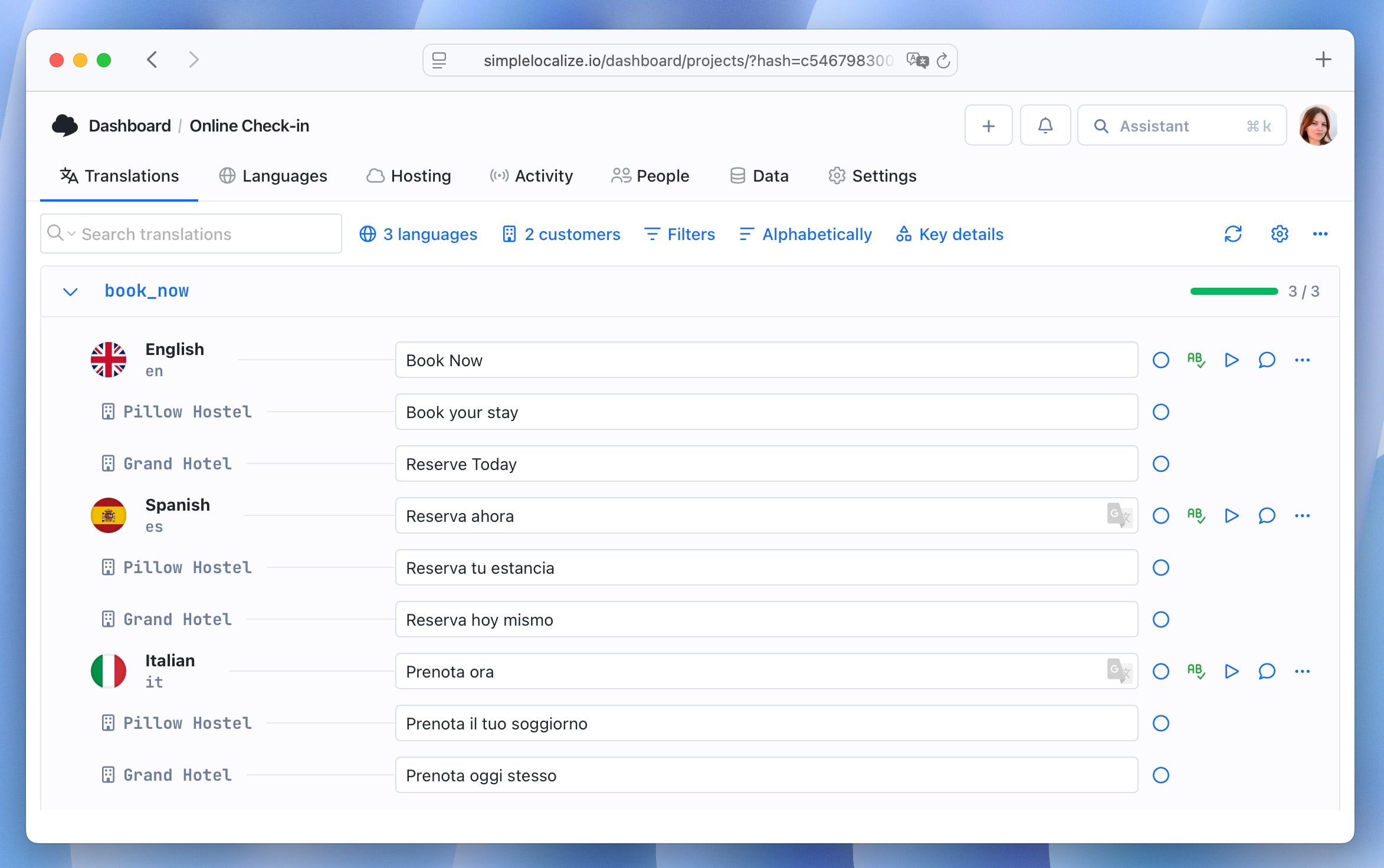
Once your SaaS serves enterprise customers, you will encounter a requirement that standard i18n setups do not handle: different customers want different terminology for the same concepts.
A project management tool where one customer calls things "projects" and another calls them "campaigns" is not a translation problem. It is a tenant-specific override problem.
The architecture pattern for this is an override layer: maintain a base set of translations that all tenants share, and allow per-tenant override files that take precedence for specific keys. The application merges both at runtime.
base/en/common.json           → "project": "Project"
tenant-acme/en/common.json    → "project": "Campaign"
SimpleLocalize supports this through customer-specific translation overrides, which lets you manage per-customer variants without duplicating your entire translation set. This is particularly useful for white-label SaaS products where each customer may present the product under their own brand.
Localization and product velocity
The most common pushback on investing in i18n early is that it slows down product development. This is true in the very short term and false in every other timeframe.
A properly set up i18n system adds minimal overhead to adding new features. A developer adds a key, pushes to the TMS, and moves on. The translation workflow runs in parallel. The deployment pipeline pulls the latest translations automatically.
The teams that find localization painful are almost always the ones that have accumulated i18n debt: hardcoded strings that need to be found and replaced, date formatting that needs to be audited, layout regressions that only appear in certain languages. That pain is not caused by internationalization. It is caused by not having internationalized earlier.
The localization maturity model documents how this plays out across five stages, from reactive ad-hoc translation to global-first product development. Teams at the higher stages consistently describe localization as a competitive advantage rather than a cost center.
Where to go from here
If you are starting from scratch or re-evaluating your current setup, the most useful next steps depend on where you are:
-
If you haven't started i18n yet: Set up translation keys and locale-aware formatting before writing more hardcoded strings. The step-by-step localization workflow for developers walks through the CLI and CI/CD setup.
-
If you're mid-product and need to retrofit: Audit your codebase for hardcoded strings (grep is your friend), prioritize the highest-traffic surfaces first, and set up a TMS so that as you extract keys, translators can start working immediately.
-
If you're scaling to more languages: Evaluate your namespace structure, check whether your CI pipeline enforces translation completeness, and consider whether your current workflow handles AI-assisted translation efficiently.
-
If you're onboarding enterprise customers: Think about the tenant override layer now, before a customer asks for it during a sales call.
For the full technical implementation guide covering key architecture, file formats, RTL support, locale detection, pluralization, and CI/CD patterns, the complete i18n and localization guide is the most thorough reference we have. For the business side, the localization strategy guide covers market prioritization, ROI measurement, and team structure.