How to share translation keys across multiple apps?

Most products eventually grow beyond a single app. A web dashboard, a mobile client, a marketing site, an admin panel: they share a design system, and they share strings. Buttons say "Save". Errors say "Something went wrong". Menus say "Settings".
When each app manages its own translation files independently, those shared strings can quickly become inconsistent. One project updates "Cancel" to "Discard changes" for a better UX. The others don't. Six months later, you have four different translations of the same concept across four projects, and no clean way to reconcile them.
This post covers the architecture patterns for sharing translation keys across multiple apps, and how to implement them in SimpleLocalize.
Why shared keys need a strategy
The naive approach is to copy-paste shared translation files between projects whenever something changes. This works until it doesn't: someone forgets to copy, a key gets renamed in one project but not the others, a new language gets added to one project but not the shared pool.
The better approach is to decide upfront how shared keys are owned, where they live, and how they flow into each app. There are two main architectural patterns, and they suit different team sizes and project structures.
Pattern 1: Shared namespace within one project
If your apps are closely related, e.g., a monorepo, a design system with multiple consumers, or a suite of products with heavy UI overlap, managing everything in a single SimpleLocalize project is often the right call.
The key is using a common namespace (or prefix) for shared strings, and feature or app-specific namespaces for everything else.
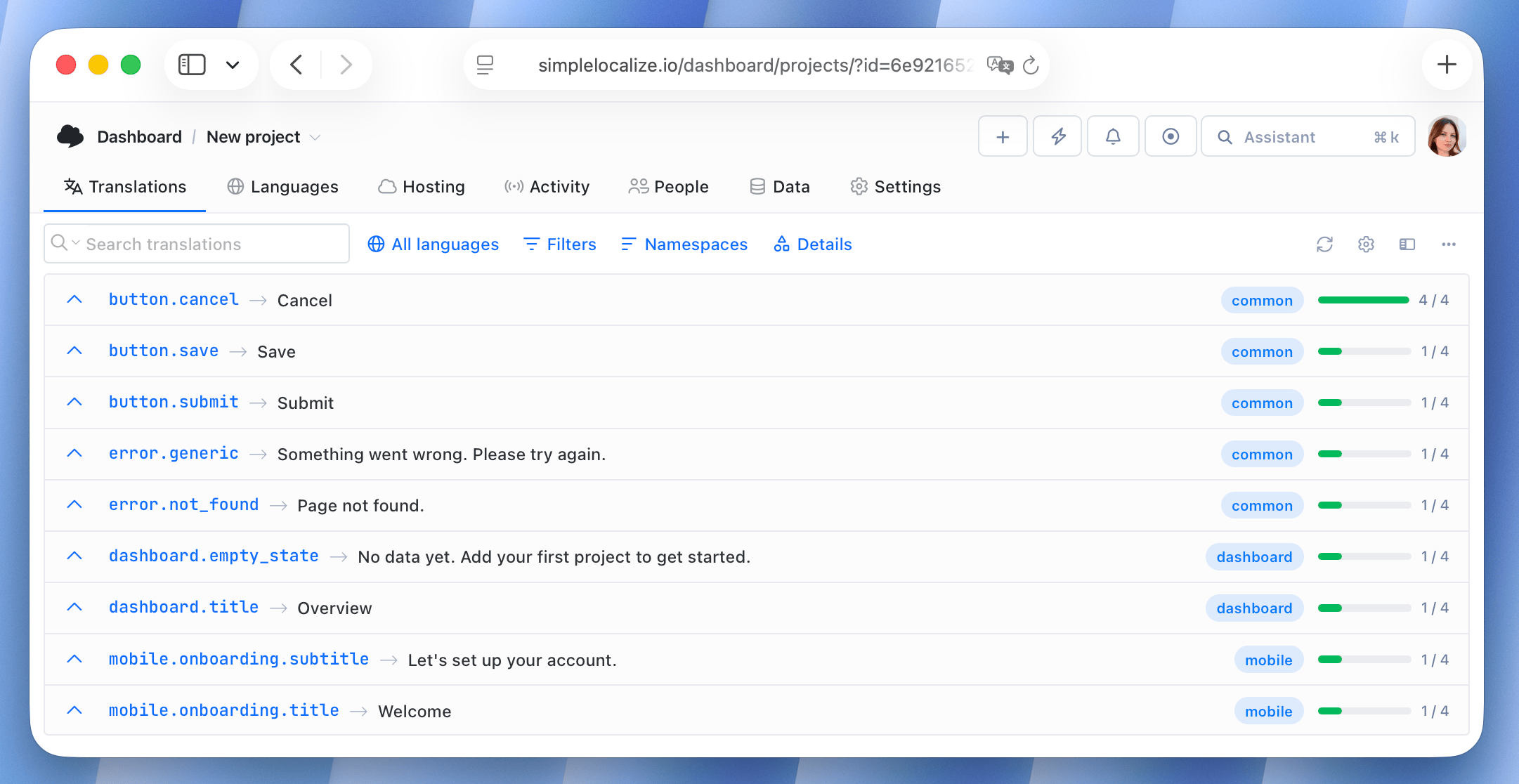
// common.json (shared across all apps)
{
  "button.save": "Save",
  "button.cancel": "Cancel",
  "button.submit": "Submit",
  "error.generic": "Something went wrong. Please try again.",
  "error.not_found": "Page not found."
}
// dashboard.json (specific to the web dashboard)
{
  "dashboard.title": "Overview",
  "dashboard.empty_state": "No data yet. Add your first project to get started."
}
// mobile.json (specific to the mobile app)
{
  "mobile.onboarding.title": "Welcome",
  "mobile.onboarding.subtitle": "Let's set up your account."
}
Each app loads common plus its own namespace. The shared strings are translated once, in one place, and every app picks them up automatically.
// Example with i18next
i18next.init({
  ns: ['common', 'dashboard'],
  defaultNS: 'dashboard',
});
This pattern works well when the same team owns all apps and can coordinate releases. It requires discipline around the namespace boundary: strings that feel "common" today sometimes need to diverge later when one app needs a different tone or label.
For more on how namespaces work and when to use them, see Namespaces in software localization.
Pattern 2: Dedicated shared-keys project
When apps are owned by different teams, deployed independently, or live in separate repositories, a shared namespace in one project gets unwieldy. The cleaner approach is a dedicated project that acts as the source of truth for common strings, and a defined process for syncing those strings into each app's own project.
In SimpleLocalize, this looks like:
- Create a project called something like "Shared Keys" or "Common UI". This is where
button.save,error.generic, and similar strings live. - Each app has its own SimpleLocalize project with its app-specific keys.
- Shared strings flow from the central project into each app project via merging.
Merging keys between projects
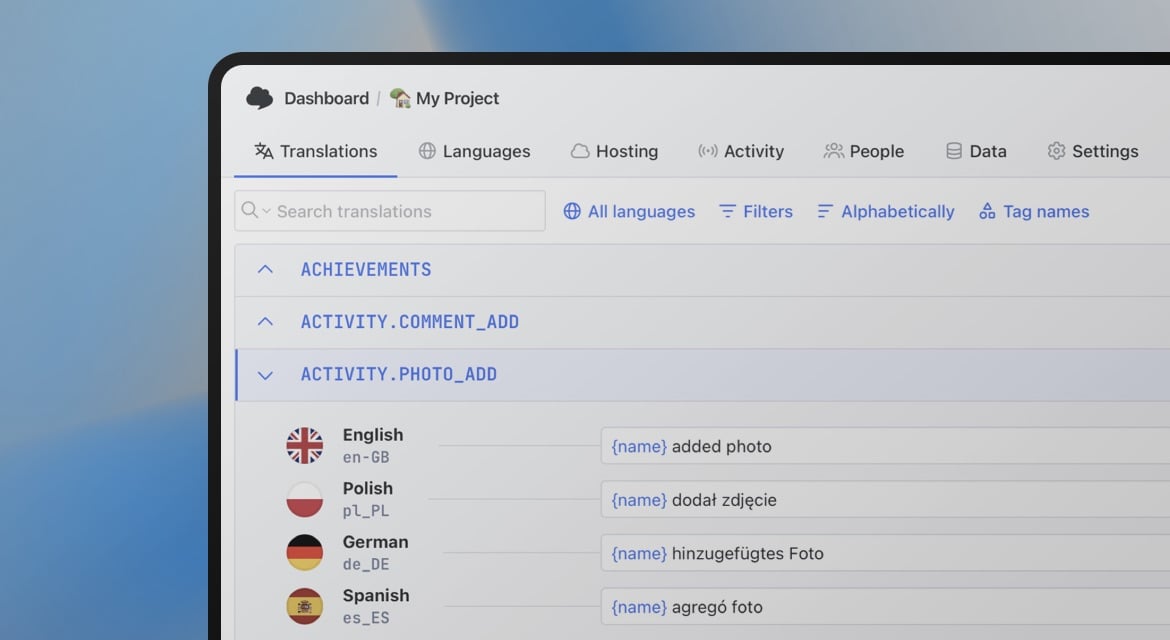
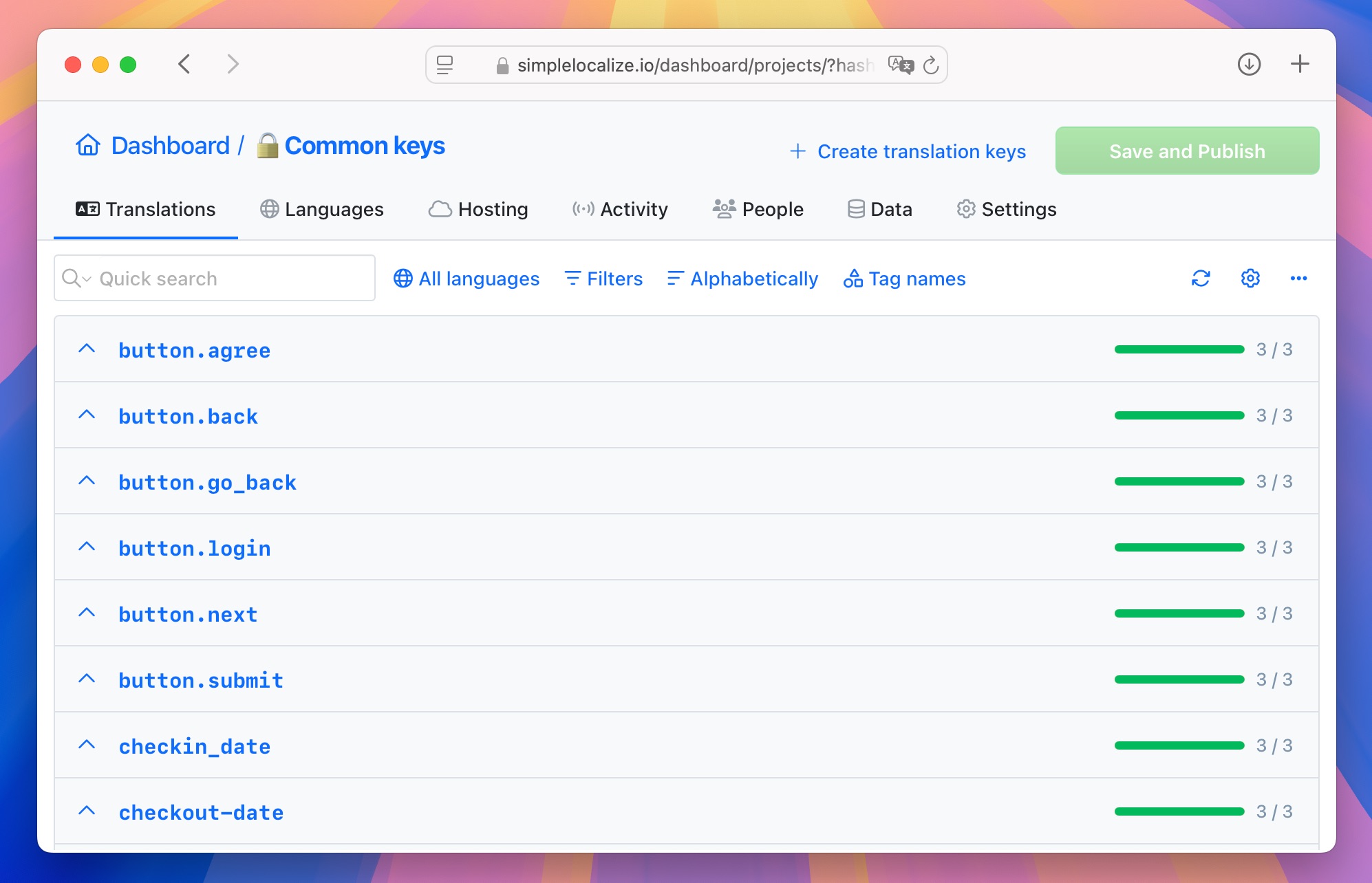
SimpleLocalize lets you select keys in the Translation Editor (hold Ctrl/⌘ to multi-select, or use Bulk Actions to select by tag or namespace) and merge them into another project.
The merge copies keys, their translations in all selected languages, and any attached metadata like descriptions and screenshots. If a key already exists in the target project, it gets overwritten.
This gives you a pull-based workflow: when the shared project gets updated, you merge the relevant keys into each app project before the next release. It's explicit and auditable, which matters when different teams own different apps.
Automating the sync with the CLI
For teams releasing frequently, manual merging can be time-consuming. The SimpleLocalize CLI lets you download translations from the shared project and upload them into each app project as part of your CI/CD pipeline.
# Download shared keys from the central project
$ simplelocalize download \
        --apiKey $SHARED_PROJECT_API_KEY \
        --downloadFormat single-language-json \
        --downloadPath ./messages_{lang}.json

# Upload them into the app project
$ simplelocalize upload \
        --apiKey $APP_PROJECT_API_KEY \
        --namespace common \
        --uploadPath ./messages_en.json \
        --uploadFormat single-language-json \
In CI, run upload once per language file (for example, messages_en.json, messages_de.json, etc.). This runs on every merge to main, so each app project always has the latest shared translations without anyone doing it manually.
Using Translation Memory and glossaries to keep shared strings consistent
Two SimpleLocalize features help maintain consistency across projects when shared strings get translated.
Translation Memory stores every translation your team has produced. When you run auto-translation on a new app project, SimpleLocalize checks Translation Memory first and applies perfect matches before sending anything to an AI or MT engine. So if button.save has already been translated into 12 languages in your shared project, those translations are reused automatically in the new project, no re-translation, no cost, no risk of a slightly different wording appearing.
Glossary handles terminology consistency. If your product has specific terms that should always be translated the same way (e.g., a feature name, a product-specific action, a legal term), you define those in a glossary. When an auto-translation produces a translation that conflicts with a glossary entry, SimpleLocalize flags it as a QA issue. That gives you a review step rather than silently shipping a term mismatch across your apps.
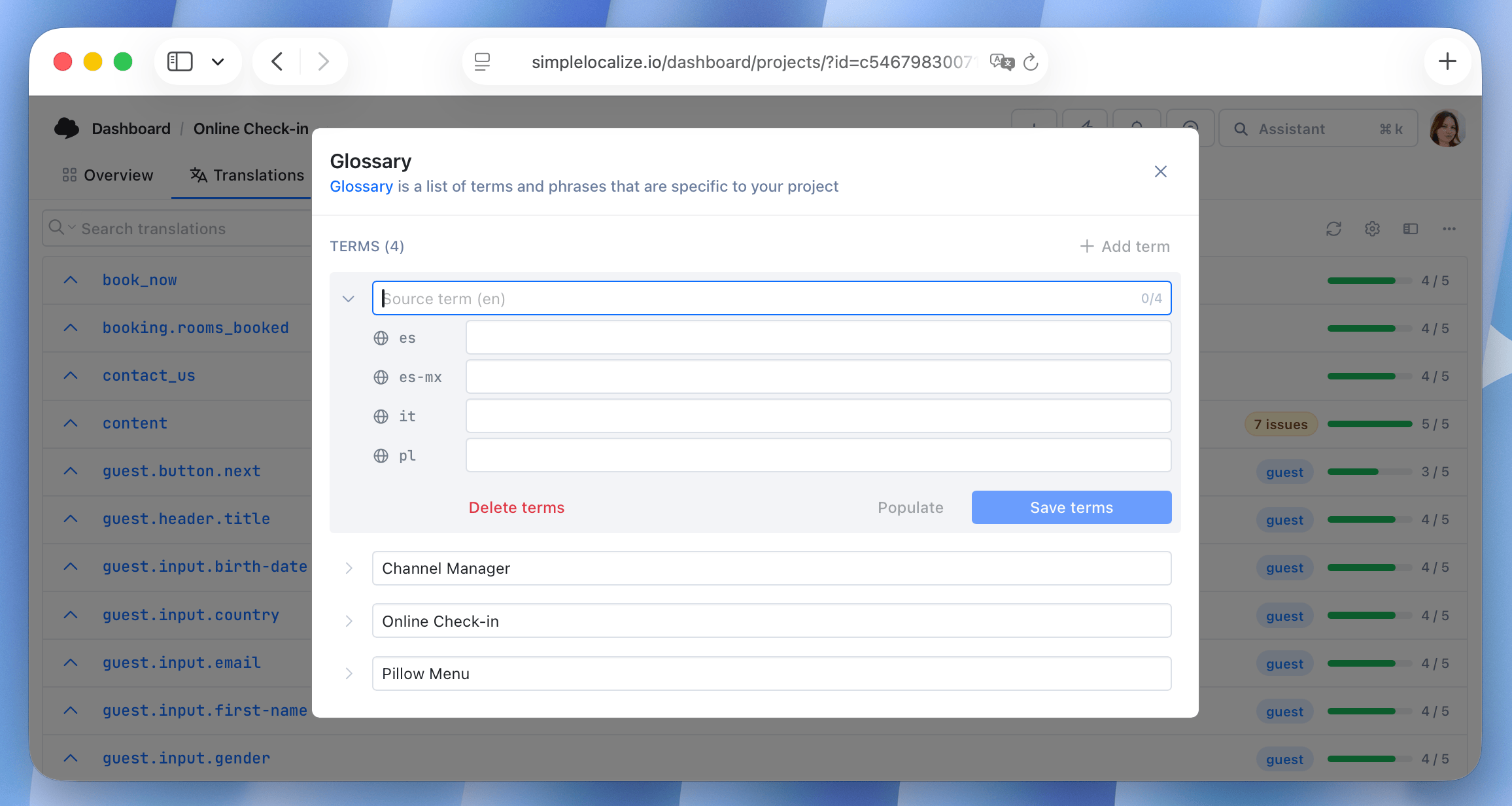
Together, these two mechanisms reduce the manual effort of keeping shared strings consistent across projects: Translation Memory handles identical strings automatically during auto-translation, and the glossary catches terminology drift at QA time.
Choosing the right pattern
What works best for your team depends on how your apps are structured and how your teams are organized. Here's a quick reference:
| Situation | Recommended pattern |
|---|---|
| Monorepo, one team owns all apps | Shared namespace in one project |
| Apps in separate repos, independent releases | Dedicated shared-keys project + CLI sync |
| 90%+ of keys are identical, small number of overrides | Single project with customer contexts |
| Large team, many apps, strict governance | Dedicated shared-keys project + automated sync |
The customer context option deserves a brief note: if most of your keys are shared and you only need to override a handful for a specific app or client, customer-specific translations let you do that within a single project without duplicating your entire translation set. It's a different use case from key sharing at scale, but it solves a related problem cleanly.
A note on key naming for shared strings
Shared keys benefit from an explicit naming convention that makes their scope obvious. Prefixing with common. or shared. in flat JSON, or using a common namespace in nested structures, signals to anyone reading the file that this string is not app-specific and should not be modified without considering all consumers.
// Clear: this key is shared
"common.button.save": "Save"

// Ambiguous: is this shared or app-specific?
"button.save": "Save"
This becomes important when someone is refactoring keys in app-specific namespaces and needs to know which keys are safe to rename and which ones have downstream effects on other projects. A naming convention makes that obvious without needing to check a spreadsheet or ask around.
For broader key naming guidance, see Best practices for creating translation keys.
Summary
If your apps share translation keys, the right approach depends on how your apps relate to each other and how your teams are organized.
A shared namespace within one project works when the same team owns everything and deploys together. A dedicated shared-keys project with CLI sync works when teams and release cycles are independent. Translation Memory keeps strings consistent across all of it, surfacing existing approved translations and flagging divergence before it ships.
Whichever pattern you use, the goal is the same: translate a shared string once, use it everywhere, and control where changes propagate. For the full picture of how key architecture fits into a scalable i18n system, see the complete technical guide to internationalization and software localization.
For practical implementation details and tool setup guidance, see How to manage shared translation keys across projects.